

Wondering what WordPress block themes are and why they matter? This guide is for you.
WordPress has changed a lot over the years. One of the most noticeable changes is that the platform is gradually moving towards block themes. Classic themes still exist, but most new features are being built around the block system.
If you don’t know what block themes are and why they’re important, you’ve come to the right place.
In this guide, we’ll cover:
- What WordPress block themes are and their benefits.
- How they differ from classic themes.
- Whether they’re good for SEO.
- The best WordPress block themes to use.
- How to switch from a classic theme to a block theme.
To begin, here’s what WordPress block themes are.
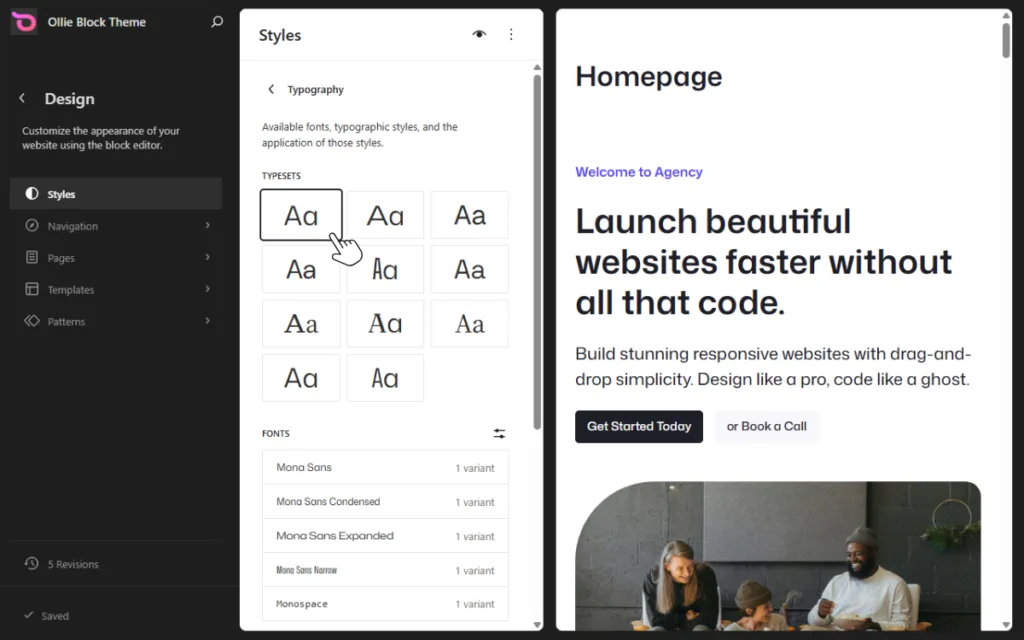
What are WordPress block themes?
WordPress block themes are themes that allow you to build and customize your entire site using blocks (the same elements you use in the Gutenberg editor for posts). Block themes treat every part of your site as a customizable block. This includes headers, footers, navigation menus, sidebars, etc.
With block themes, you can visually design every single one of these elements directly within the WordPress editor. Meaning, you have much more control over your site’s layout and appearance without needing to learn coding.
This is called full-site editing (FSE). A feature in WordPress that lets you visually edit nearly every part of your site using the WordPress Site Editor.
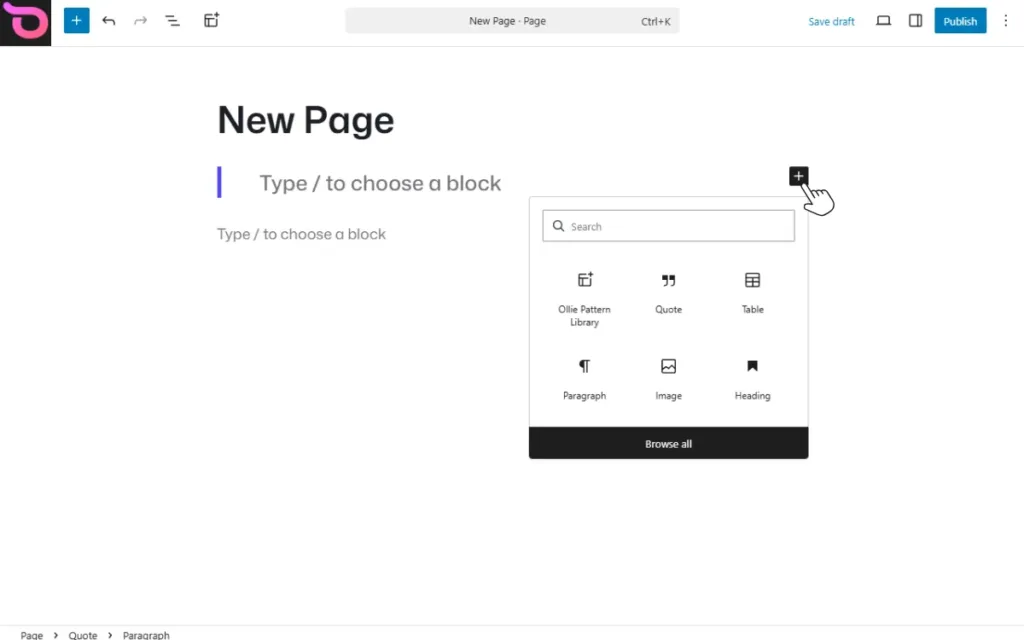
What is the WordPress Site Editor?
If you’ve written a post or page in WordPress, you’ve already used the block editor, the interface where you build content by adding and arranging blocks. The Site Editor works the same way, but instead of writing content, you’re editing the design of your entire site. Think of it as the block editor, but for your headers, footers, templates, and layouts.
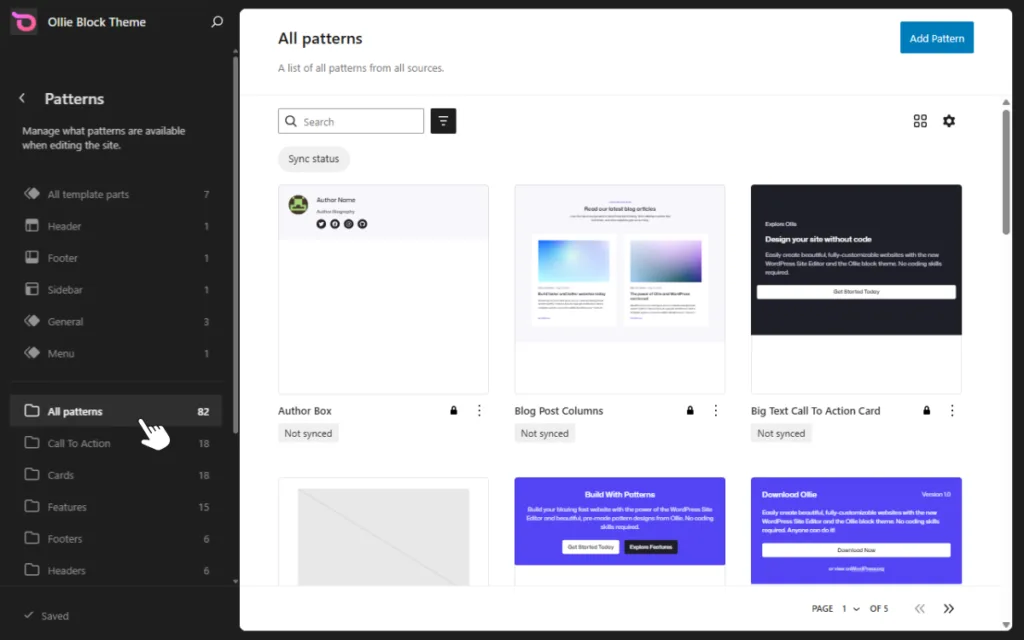
How do WordPress block themes work?
Block themes use blocks to control your website’s content and layout. In other words, everything on your site is made from blocks, including text, images, post titles, and so on. But blocks don’t work alone.
They’re organized using three key building pieces:
- Templates determine the layout of different page types across your site. For example, you can have separate templates for a single post, a page, or search results. Many block themes come with prebuilt templates for common pages, but you can also create custom ones for things like landing pages using the Site Editor.
- Template parts handle reusable sections like headers and footers. You create them once, and they appear consistently across your site.
- Patterns are pre-designed sections made from blocks. Think hero banners, testimonials, or CTA sections that you can drop into any page and customize.
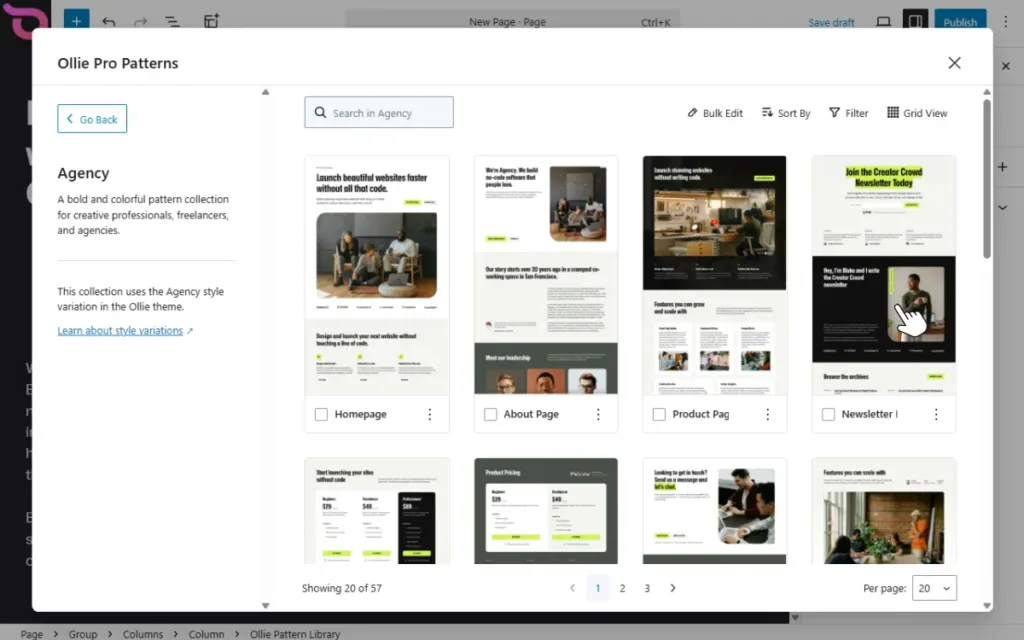
With a block theme, you manage all of these inside the Site Editor rather than the Customizer, which is largely disabled when a block theme is active.
There are two types of themes in WordPress: block and classic themes. Let’s go over how block themes differ from classic themes next.
How are block themes different from classic themes?
Classic themes have been around the longest. Historically, if you searched for ‘WordPress themes’, Astra, OceanWP, and Kadence WP (which are classic themes) were among the options that would pop up.
Block themes have recently emerged as a much-needed option. So how do these two WordPress theme types differ?
The main difference between block and classic themes is in how they work. By now, you know that with block themes, the entire site is made with blocks. But classic themes use PHP templates instead. Because of this, you don’t use the Site Editor to edit your site. Instead, you use the Customizer and widgets, along with theme options.
But that’s not the only way these two differ. Here are some more differences.
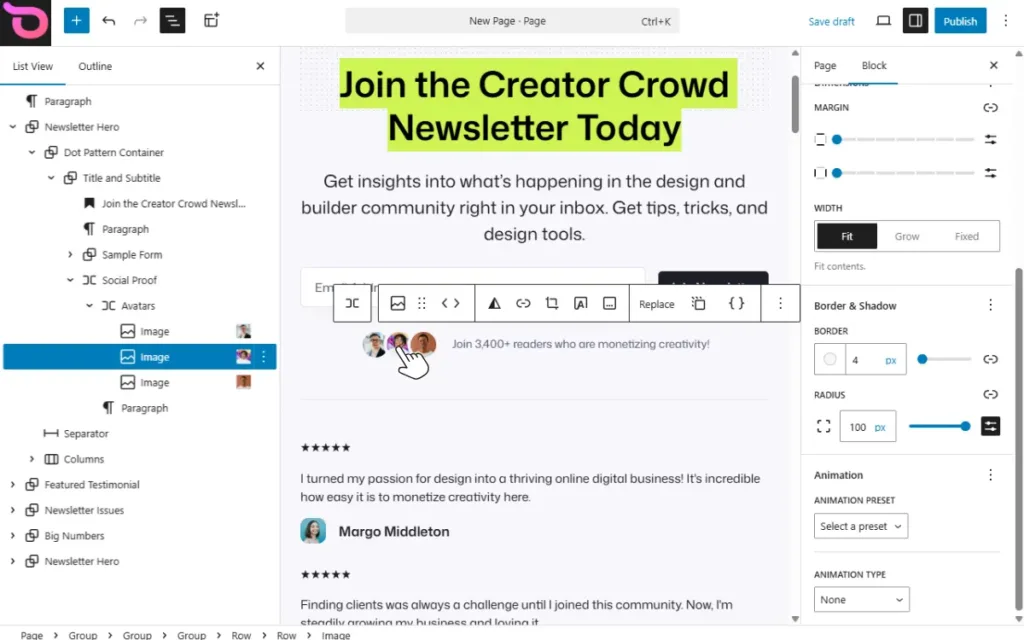
Layout flexibility
With block themes, you can move or add elements almost anywhere on the page. This allows you to create your own layouts. We can’t say the same for classic themes, as layouts are mostly predefined in the theme.
You can only customize widget areas, but if you want to change the layout, you’ll need to edit the code responsible for the layout. Either that, or customize any in-built settings the classic theme has.
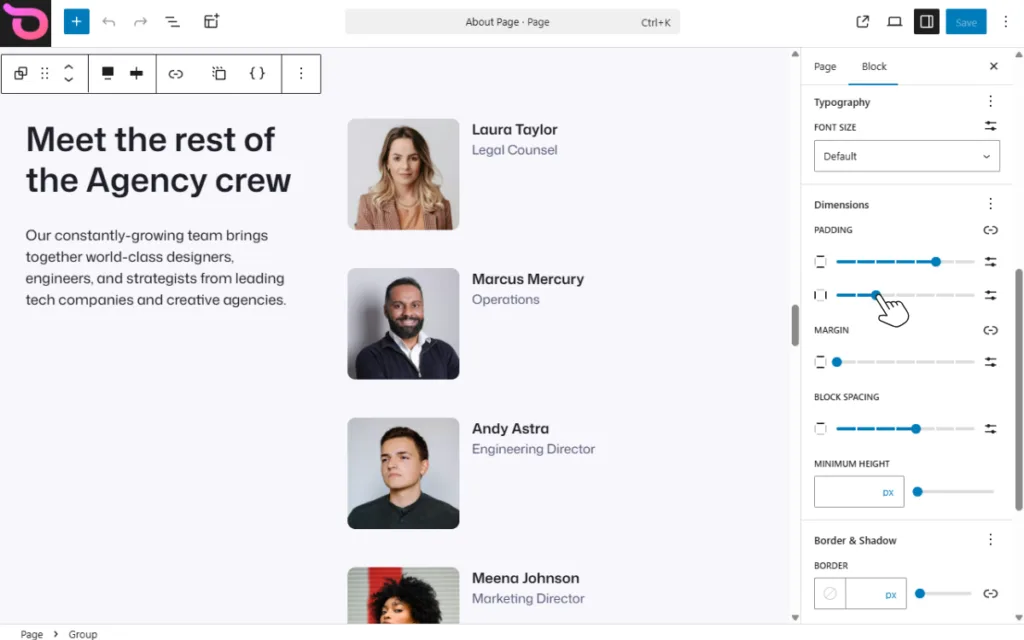
Editing capabilities
With classic themes, you can edit areas such as headers, footers, and logos if the theme has in-built settings to do this. Either that, or you will need to edit the PHP code responsible for them.
Block themes, however, allow you to edit these parts visually using the Site editor.
Page builders and workflow
Classic themes don’t give you much design flexibility out of the box. To compensate, many site owners rely on page builder plugins like Elementor or Divi. Tools that add a visual, drag-and-drop interface for designing pages. While they solve the flexibility problem, they come with a cost: page builders add extra code, third-party scripts, and plugin dependencies that can slow your site down.
With block themes, you largely don’t need them. The Site Editor, templates, and patterns give you the same visual, drag-and-drop flexibility natively, without the added bulk. The result is a leaner site with fewer plugins to maintain and better performance potential.
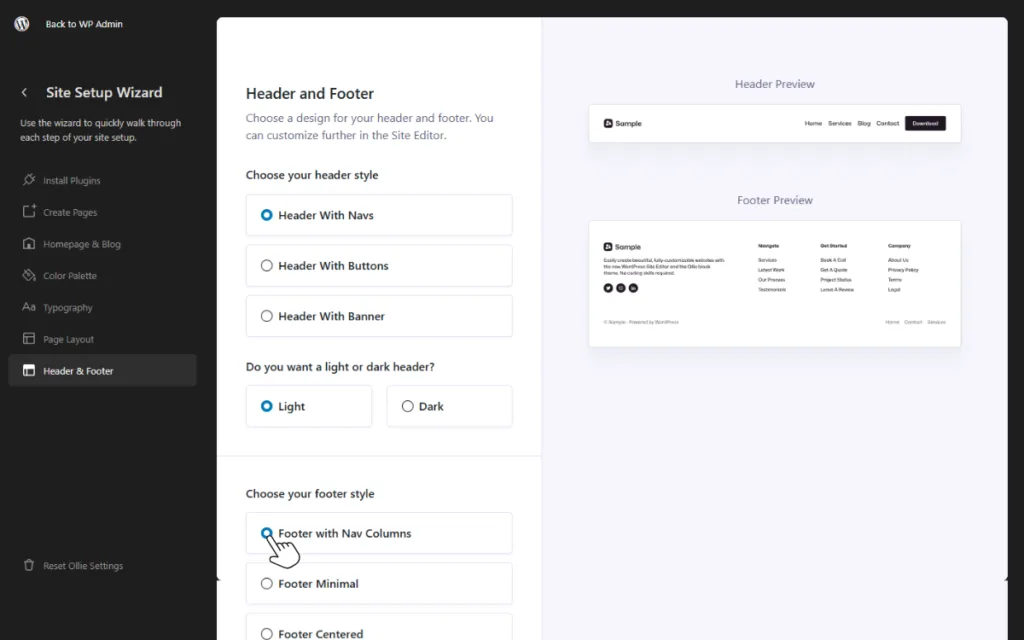
Styling and customization
With a block theme, almost every element on your page has its own built-in styling controls like colors, typography, spacing, and more. These are accessible directly inside the Site Editor or page editor without touching any code. You can style individual blocks, entire sections, or your whole site at once through Global Styles.
Classic themes are much more restrictive. You’re limited to whatever styling options the theme developer decided to include. If you want to go beyond that, you’d need to create a child theme and write custom code, which for most site owners isn’t a realistic option.
So that’s how classic and block themes differ. Here’s a quick summary:
| How are block themes different from classic themes? | ||
|---|---|---|
| Feature | Block themes | Classic themes |
| Editing experience | Full site editing using the Site Editor | Using the Customizer, widgets, and theme settings. |
| Site structure | The entire site is built with blocks. | Depends on PHP template files. |
| Headers and footers | Fully customizable using blocks. | Usually fixed unless edited in theme files. |
| Layout flexibility | Highly flexible | Mostly predefined by the theme. |
| Styling | Styles are defined in theme.json and are visually editable. | Mainly controlled by CSS and theme options. |
| How much do you depend on page builders? | Not necessarily needed as block themes are flexible. | Customizer is limited, leading to dependence on page builders. |
Are block-based WordPress themes becoming the new standard?
WordPress is moving toward a block-based system. In 2022, WordPress 5.9 was released, introducing Full-Site Editing. This was a major shift towards block-based design, allowing users to customize areas like headers and footers without coding.
Since then, WordPress ships with a default block theme, the latest one being Twenty Twenty Five. At the same time, the adoption of block themes has increased. Currently, there are over 1500 block themes in the WordPress.org theme directory.
Although block themes haven’t completely replaced classic themes yet, they’re increasingly becoming the new standard.
So, before we look at some block theme options, let’s first address an important question: are WordPress block themes good for SEO?
Are WordPress block themes good for SEO?
Block themes are good for SEO, but not just because they’re block-based. Their SEO benefits mostly come from the improved structure and cleaner code these themes contain.
Let’s break this down:
- Cleaner code. Block themes tend to produce leaner, more predictable markup than classic themes. Especially when you factor in that they remove the need for heavy page builder plugins, which are a common source of bloated, unnecessary code on classic theme sites.
- A better content structure. You organize page sections block-by-block, which makes it easier for search engines to understand the page hierarchy.
- Improved page speed potential. Block themes avoid heavy page builders that could slow page load times. Better page speed could improve your site’s SEO ranking because Google uses it as a ranking factor. Not to mention, fast-loading web pages improve user experience.
Keep in mind that the theme alone doesn’t determine SEO. Even with a block theme, SEO still depends on your site’s content quality, internal linking, mobile optimization, etc. Although a block theme provides a strong SEO foundation, if your site is poorly built, it could still rank poorly in search results.
Now that we know what block themes are and their benefits, let’s look at the best WordPress block themes to consider when you want to build your site.
The best WordPress block themes
WordPress ships with a default block theme: Twenty Twenty Five. This theme isn’t necessarily bad, but it’s fairly limited. It has only a handful of built-in layouts (page templates, section patterns, and starter sites).
Luckily, there are several block themes in the WordPress theme directory you can use. Here are some of the best ones to consider.
1. Ollie
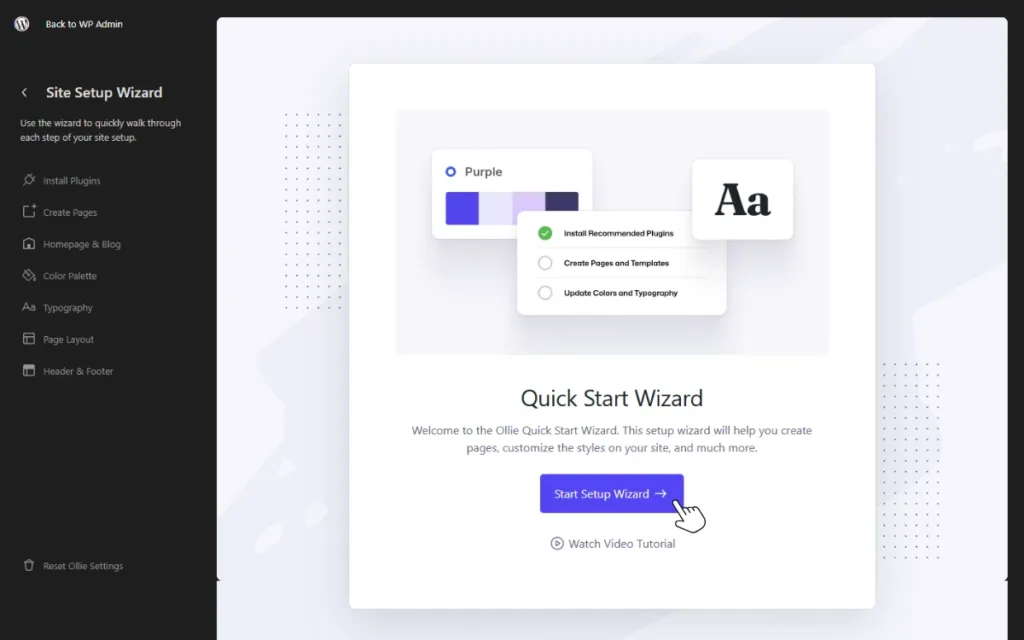
Ollie is a modern WordPress block theme built to make it possible for you to create great-looking, responsive websites easily using the Site Editor. This theme focuses on what matters most for block themes.
That is:
- Design systems.
- Block patterns.
- Quick set up tools.
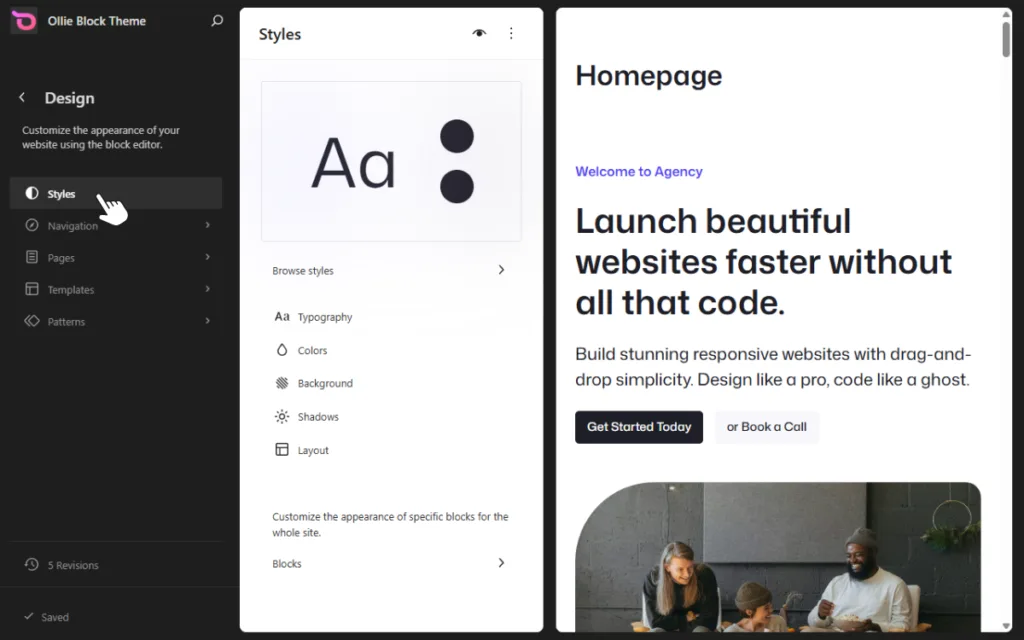
Ollie fully supports the WordPress Site Editor. This means you can create websites without page builders or custom code. Nonetheless, it has options for those who want to create websites block-by-block, automatically in a few clicks.
What are Ollie’s key features?
Here’s what Ollie offers to help you build well-designed WordPress sites faster.
An extensive pattern library
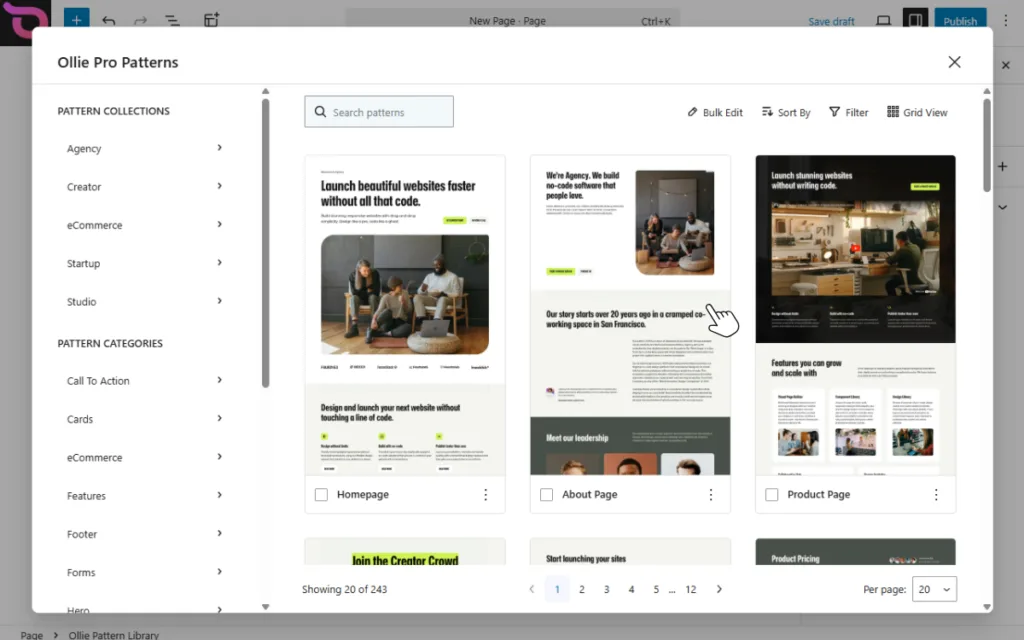
Ollie Pro has a pattern library that hosts over 180 block patterns to help speed up site creation. This includes hero blocks, pricing sections, CTAs, and more. It also has multiple full-page designs and templates.
You don’t have to start designing your site from a blank page. You can insert block patterns where you need them on the page or opt for full-page designs and customize them as needed.
A built-in design system
Ollie comes with a structured design system that helps ensure your designs are consistent across the website. This system includes several style variations, each with curated color palettes, typography pairings, and consistent spacing and layout rules.
A setup wizard to get you up and running quickly
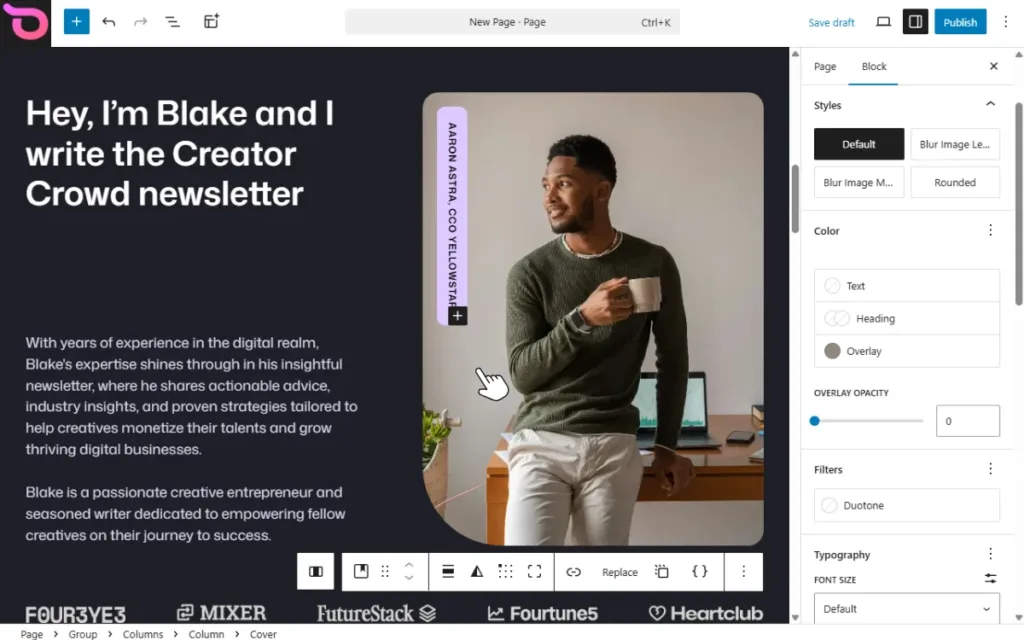
Ollie has a setup wizard that helps you get set up quickly. It walks you through all the important steps of creating your site, like:
- Installing the Ollie extensions (plugins), you need to get started.
- Selecting the pages you want.
- Picking a color palette and typography.
- Setting up your layout.
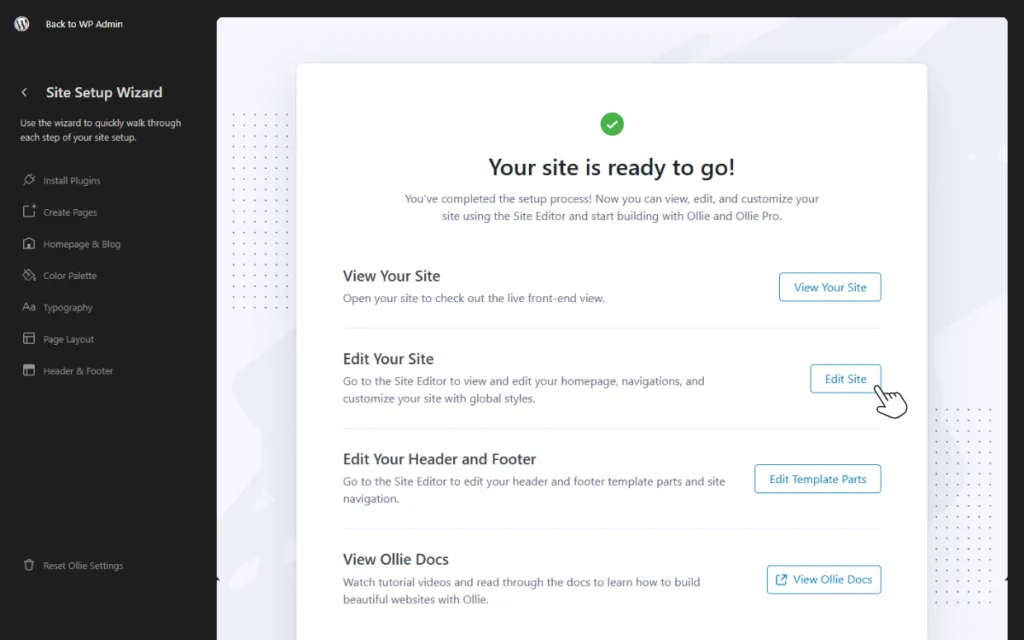
While this saves time, the Starter Sites feature takes it further. Select the pages you want, and Ollie will do the rest for you.
Extensions to extend Ollie’s functionality
It has extensions that give you additional options for designing your site. For example, controlling how grids and columns appear on mobile devices, button icons, animations, hover colors, etc.
It also has a built-in menu designer that you can use to create different types of navigation menus without coding.
2. Spectra One
Spectra One was created by the same developers behind Astra (a classic theme) to pivot to Full Site Editing. It’s part of the Spectra ecosystem, which includes:
- Spectra. The core plugin that extends the WordPress block editor with additional Gutenberg blocks and design tools.
- Spectra Pro. The premium extension adds features such as pop-up builders, animations, and modal windows to the core plugin.

Key features
Spectra One supports most of what you would expect from a WordPress block theme, including:
- Style variations. It has several style variations, each with its own color palette and font, that you can switch between.
- Global styles. You can control your site’s styling from one place.
- Predesigned block patterns. It has several block patterns you can use to speed up designing your pages.
- Support for full site editing. It integrates with the WordPress block editor, allowing you to edit your entire site.
Spectra One is ideal for users who have used Astra before or are currently using the Spectra plugin to build WordPress sites.
3. Other notable block themes
Apart from Ollie and Spectra One, here are others you could use:
- Blanky. A simpler theme, which is good if you want a minimalist look.
- Pixel Watch Center. A theme built to work well with WooCommerce for ecommerce stores.
- WENS Fit Zone. Great for portfolio websites.
These aren’t the only options. There are more niche-specific block themes that you’ll find in the WordPress theme directory.
Common questions about WordPress block themes
Do you still have some questions about WordPress block themes? Here are some of the most common ones answered.
How do I customize a WordPress block theme for my website?
You can customize a block theme using the WordPress Site Editor. From Appearance → Editor, you can modify templates, headers, footers, and layouts using blocks, and adjust colors, fonts, and spacing through Global Styles.
Are block themes suitable for ecommerce?
Yes. Many block themes work well with WooCommerce and allow you to customize product pages, shop layouts, and other store elements using the block editor. However, you should choose a theme that specifically supports WooCommerce for the best results.
Can I use plugins with block themes?
Yes. Block themes are compatible with most WordPress plugins, including SEO, security, and form plugins. In fact, many plugins now include custom blocks that integrate directly with the block editor, making them easy to use with block themes.
As long as a plugin follows standard WordPress development practices, it should work smoothly with a block theme.
Are block themes faster than classic themes?
They can be because they’re built around the WordPress block editor and often use cleaner code. Many block themes also avoid heavy page builders, which can reduce unnecessary scripts and improve loading times.
However, overall performance still depends on factors like the theme’s quality, the plugins you use, hosting, and how well the site is optimized.
Should you use a WordPress block theme?
As WordPress moves towards making block themes the new standard, there’s no better time than now to start using them to create your sites. But that isn’t the only reason to use them. On top of that, they’re easier to use, you have more control over the design, and you rely less on heavy page builders.
If you’re looking for a user-friendly, powerful WordPress block theme for your site, then Ollie is the theme for you. It’s built to make it easier for you to create unique, well-designed WordPress sites. Thanks to its extensive pattern library, built-in design system, and setup wizard, you’ll have an easier time building your sites.


Leave a Reply