
Hey folks, Mike here from Ollie, and I’m excited to share a new Ollie Pro extension that’s going to save you a ton of time – Smart Sync.
If you’ve ever built a page with a row of cards, a grid of features, or any kind of repeating layout, you know the drill. You get one block styled exactly how you want it, and then you have to click into each similar block one by one and repeat those same changes. It’s tedious, and it’s the kind of thing that should just be easier.
Smart Sync fixes that. Make your style changes once, and apply them to all similar blocks instantly.
How it works
Select a block in a repeating layout and make your style changes – update the background color, adjust the font size, tweak the padding, whatever you need. As soon as you make changes, a toast notification pops up asking you if you want to sync the changes to other similar blocks.
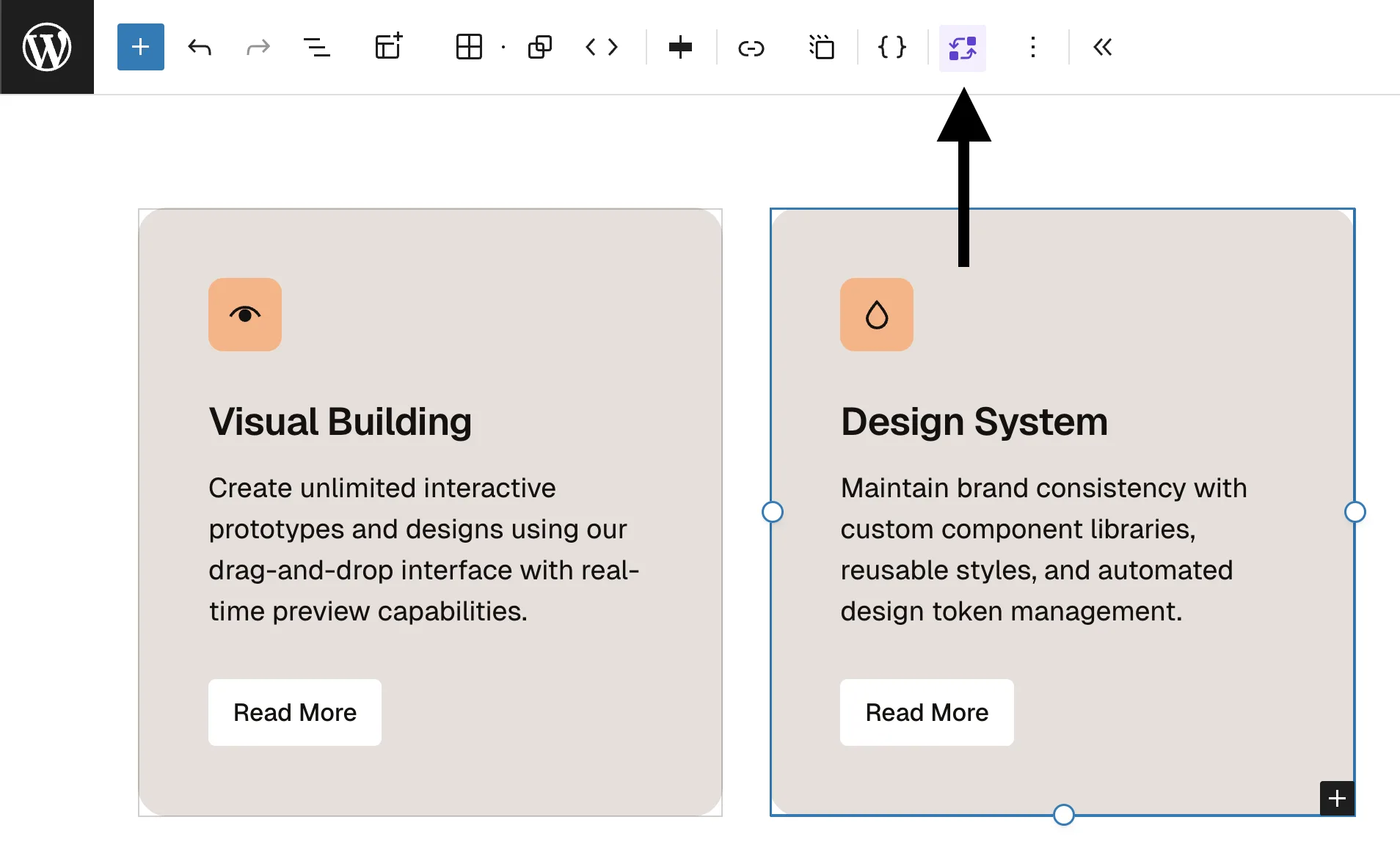
You can also manually sync grid items by selecting a grid or grid item and clicking the Smart Sync button in the toolbar. Once synced, you can style dozens of items at once, saving you tons of time and hundreds of clicks per day.
Get started
Smart Sync joins our growing collection of Ollie Pro Extensions – powerful tools that enhance the native WordPress block editor and feel like they’ve always been there.
Head over to our Pricing page to get started with Ollie Pro and unlock Smart Sync along with our full suite of extensions!
