
If you’re trying to decide between a WordPress theme vs page builder, this guide is here to help.
Themes, page builders, and the newer blocks system all help you build a WordPress website. As you build your site, you have to pick the right setup for you. This isn’t easy, especially if you don’t know what WordPress themes and page builders do and how they compare.
In this guide, we’ll compare WordPress themes vs page builders to help you pick the right setup for your site.
Here’s an outline of what we’ll cover:
- What WordPress themes and page builders are.
- WordPress theme vs page builder: how they compare.
- Whether you actually need a page builder.
- How block themes fit into this.
- Which one to choose: classic theme, page builder, or block theme?
Whether you’re starting a new site and looking for the right setup or you’re wondering whether your current setup is the best approach in the long term, you’ll find this guide useful.
Let’s begin by first understanding what WordPress themes and page builders are.
What is a WordPress theme?
A WordPress theme is a collection of files that control the appearance and layout of your WordPress site. The theme determines how your site’s content looks and where it appears on a page.
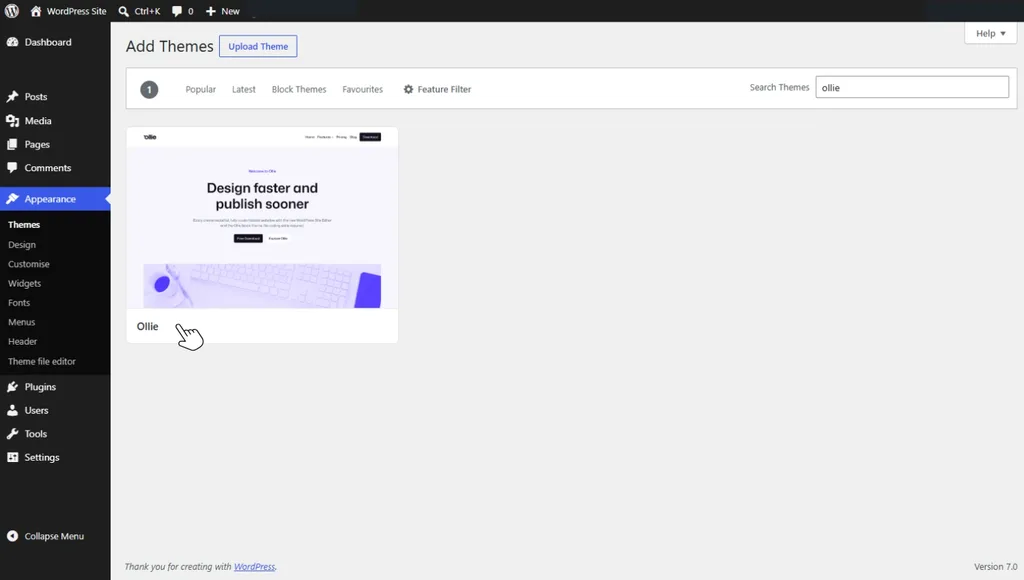
This includes:
- The overall layout. Whether your site has a sidebar, a grid layout, or a single column style.
- The typography. Everything to do with your fonts, for example, sizes, weights, line heights, etc.
- Color schemes. Background colors and link colors.
- Design details. For example, button shapes, hover effects, and borders.
WordPress themes use templates to define how specific types of content are displayed on a website. For example, you’ll have different templates for standard pages, blog posts, archives, and search results.
So if you want to change how your blog posts look, you’ll edit the blog post template. Your edits will be applied sitewide where the blog post template is used.
Templates aren’t the only files in a theme. You can also have CSS files for styling, template parts, asset files, etc. The theme files you have largely depend on the type of WordPress theme you’re using.
The two types of WordPress themes
There are two types of WordPress themes:
- Classic themes.
- Block themes.
Classic themes are the traditional type of WordPress theme and have been around the longest. They rely on PHP templates, CSS code, and the WordPress Customizer to control a website’s design.
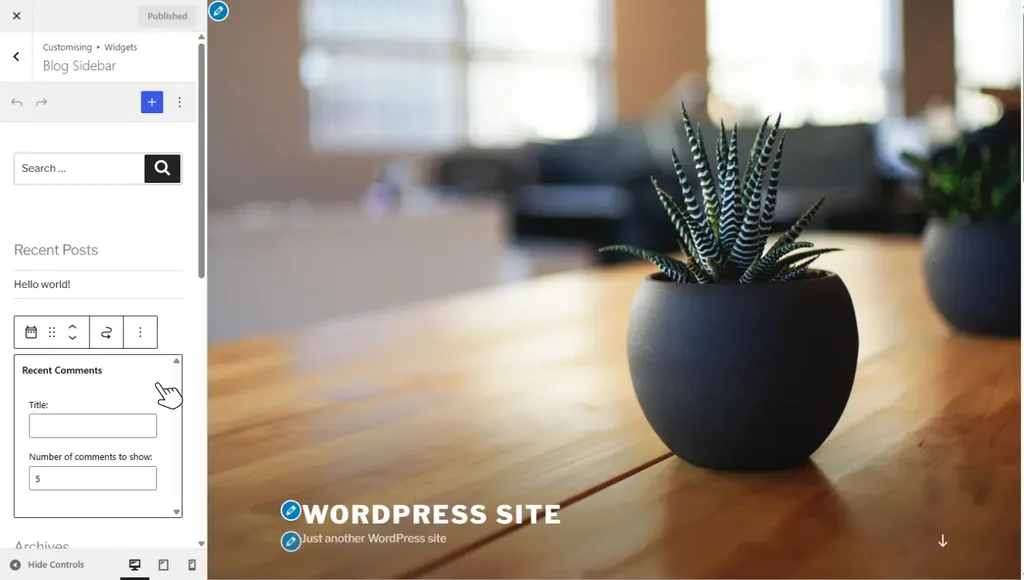
With classic themes, you can only customize what the theme developer exposes in the theme Customizer. To make any meaningful edit, for example, changing the layout, you have to edit the code in the PHP file template.
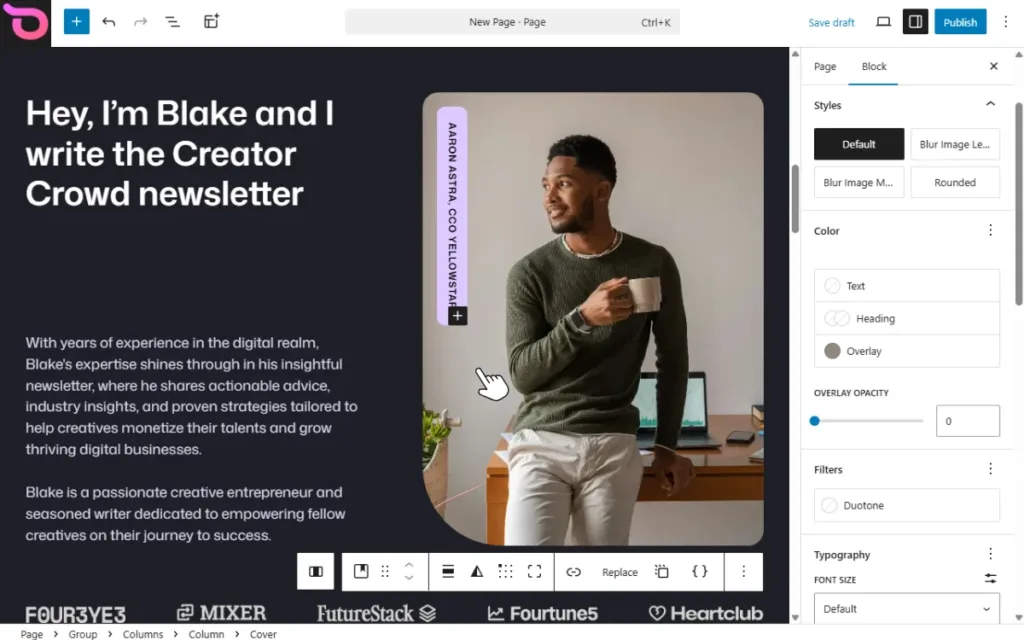
Block themes are modern themes, built for the Gutenberg Block Editor and Full Site Editing (FSE). They treat everything as a block, allowing you to edit your site visually using the Block Editor.
So, now we know what WordPress themes are, let’s move on to page builders.
What is a WordPress page builder?
A page builder is a WordPress plugin that lets you visually customize individual pages on your site using a drag-and-drop editor.
It provides visual controls for adding elements such as:
- Headings.
- Text blocks.
- Forms.
- Buttons.
- Images, etc.
You can drag these elements from the editor and place them on your page. Then customize how they look without touching code.
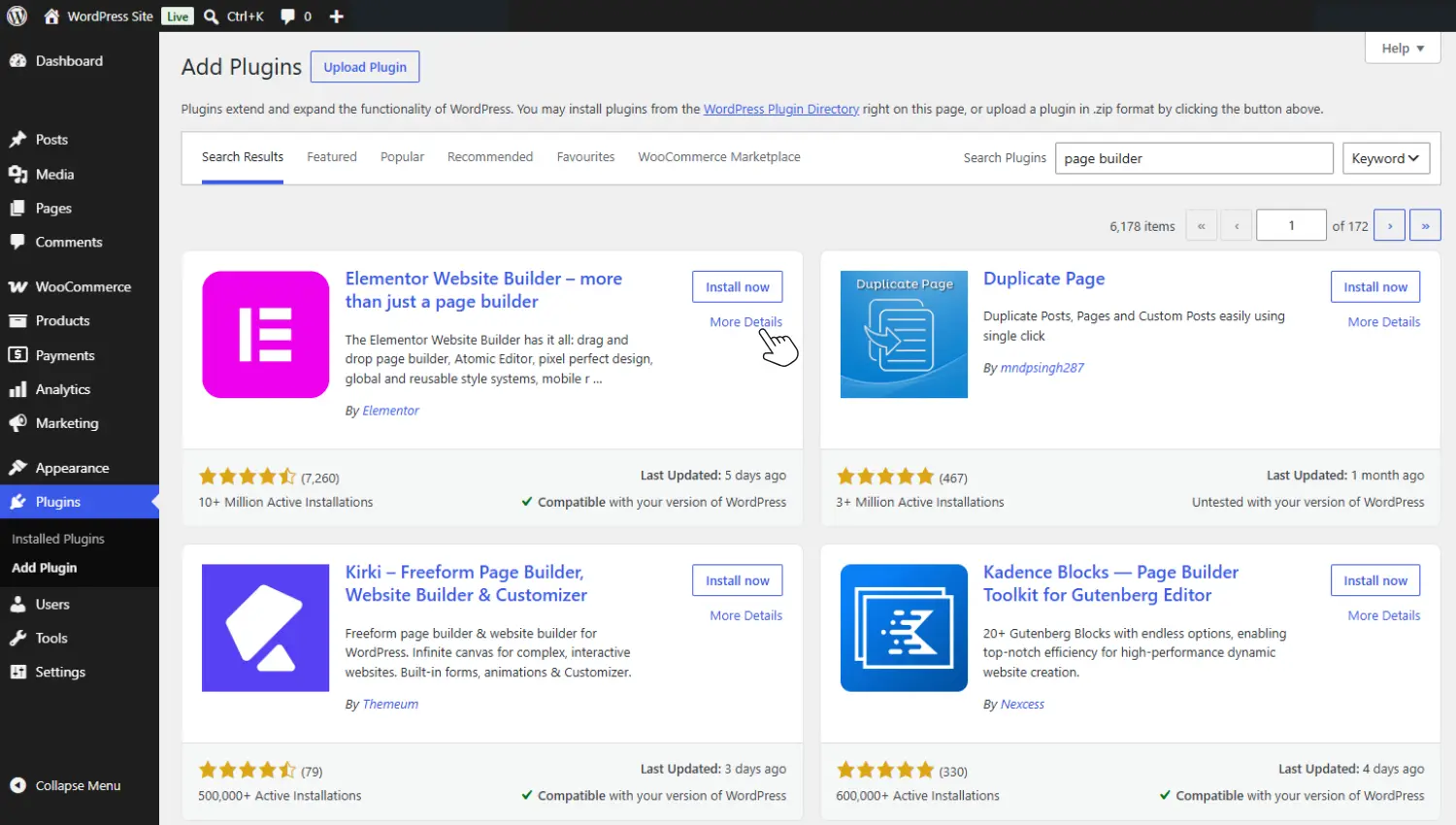
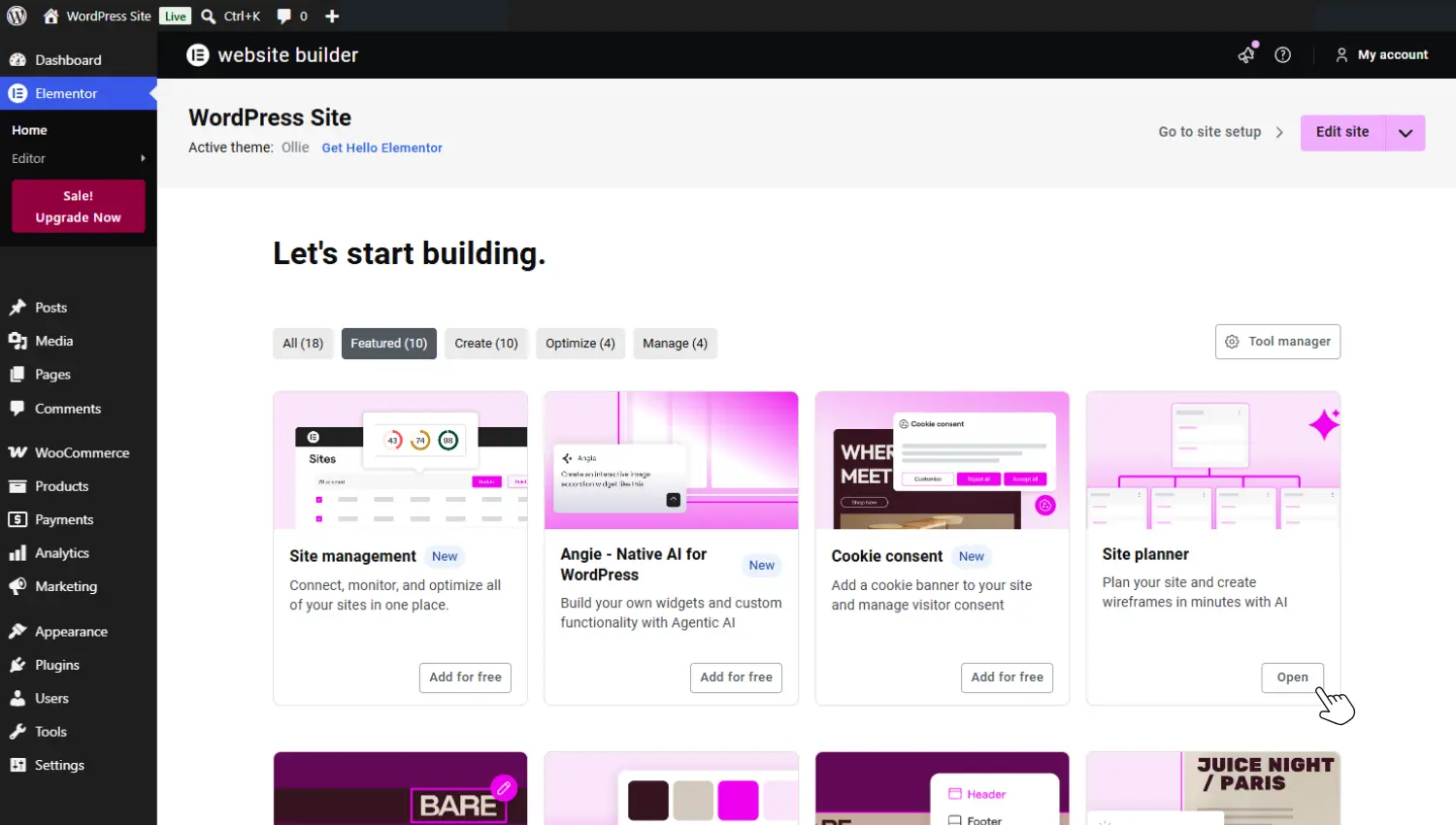
Most page builders come with pre-built full-site and page templates that you can import and customize. This way, you don’t have to build everything from scratch.
The most used page builders are Elementor, Divi, Beaver Builder, and Bricks Builder. You’ll likely run into them when looking for a page builder for your site.
From the definitions, you can start to see how WordPress themes vs page builders differ. Let’s compare them in detail next.
WordPress theme vs page builder: What is the difference?
Classic WordPress themes and page builders work differently and come with different trade-offs if you choose to work with either.
But before we compare them, let’s first address something: themes and page builders aren’t always either/or choices. Page builders are usually paired with classic themes to cover where they fall short.
However, these two work differently. So, let’s compare classic themes vs page builders first and then see where block themes fit in later.
What they can do
Classic themes are responsible for the overall structure and presentation of your website. They apply sitewide, setting the overall design system. On the other hand, when you work with a page builder, you operate at the page level.
It gives you control over individual pages and page sections. So when you make edits, they apply to the page you’re editing.
To illustrate, themes answer questions like:
- Where should the header and footer appear?
- What are your site’s default fonts and colors?
- How should archive pages be displayed?
While page builders determine:
- Where a button should go on a page.
- How many columns should a specific page have?
- Whether an image on a page is full-width.
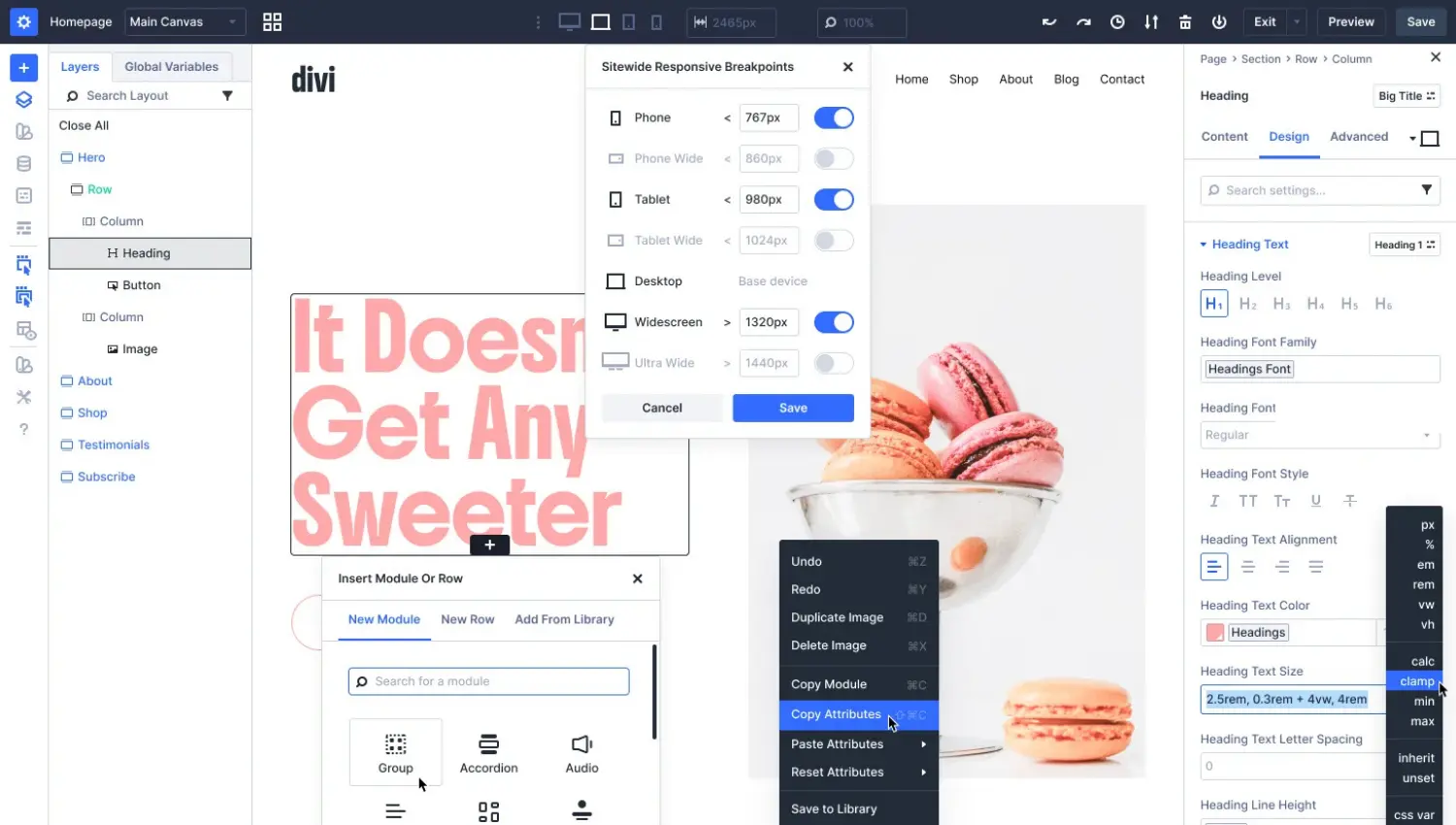
In short, themes have a wider scope that covers the entire site (or multiple areas in the site), whereas page builders have a narrower scope, usually focused on a single page.
Design control: What can you edit without coding?
Classic themes offer limited design control unless you edit code. Without editing code, you can only do simple things such as adding a logo, changing fonts, and creating navigation menus in the theme Customizer. What you can do varies depending on what the theme developer allows.
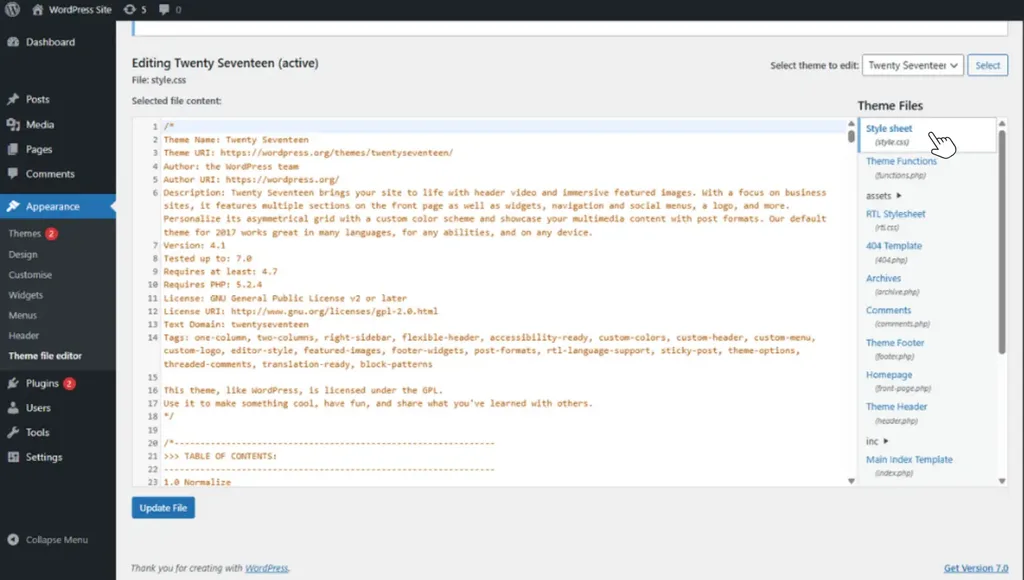
But if you want to do something more advanced, like editing the page layout or rearranging the header structure, you have to edit the code. On their own, classic themes aren’t ideal for beginners who lack the knowledge of how to code and want to make changes.
Page builders give you more visual control without coding. You can make significant changes to a page’s layout and other design elements without knowing any PHP or CSS. This makes it a good option for non-technical users.
Performance
One of the biggest drawbacks of using a page builder is that it can slow down your site.
A study by Kinsta had the following findings:
- A page from a site built with the Gutenberg Block Editor took 1.32 seconds to load.
- While a page from a site built with Elementor took 1.92 seconds to load.
The page built with Elementor took about 46% longer to load. Why is that?
Page builders add dependencies, bloat, and therefore load time to a website. Let’s say you’ve added an image carousel with your page builder. It will need to load several files for the carousel to work. For instance, a CSS file for styling, a JavaScript file, an animation library, etc.
If you add more features and custom layouts, more files have to be loaded, which could slow down your site. A classic theme by itself isn’t inherently slow or fast. Its performance depends on how well the theme developer optimizes it. That said, they’re generally leaner than page builders.
Theme type lock-in
The content you build with a page builder is often tied to its shortcodes and proprietary markup. Suppose you want to switch to another page builder. Removing your current page builder could break the layouts you’ve built with it (especially the complex ones).
Unless the new builder you switch to supports the same features as your previous one, your designs will break too.
Switching to a different theme is slightly easier (unless you’re switching to a block theme, which is completely different). Your designs also won’t remain intact because the new theme has its own design.
Compatibility with your ecosystem
In general, classic themes have fewer compatibility concerns than page builders. This is because they rely mainly on WordPress’s native theme system. Page builders, on the other hand, are another software layer with their own rendering engines, widgets, CSS, and JavaScript.
This means that there are more opportunities for conflicts with other plugins, WooCommerce, and even themes, especially during updates. However, compatibility varies by page builder, and page builders aren’t inherently incompatible or unstable.
Maintenance
A page builder is another plugin you need to keep updated to avoid security vulnerabilities on your site caused by outdated versions. Compared to classic themes, they’re slightly less easy to maintain.
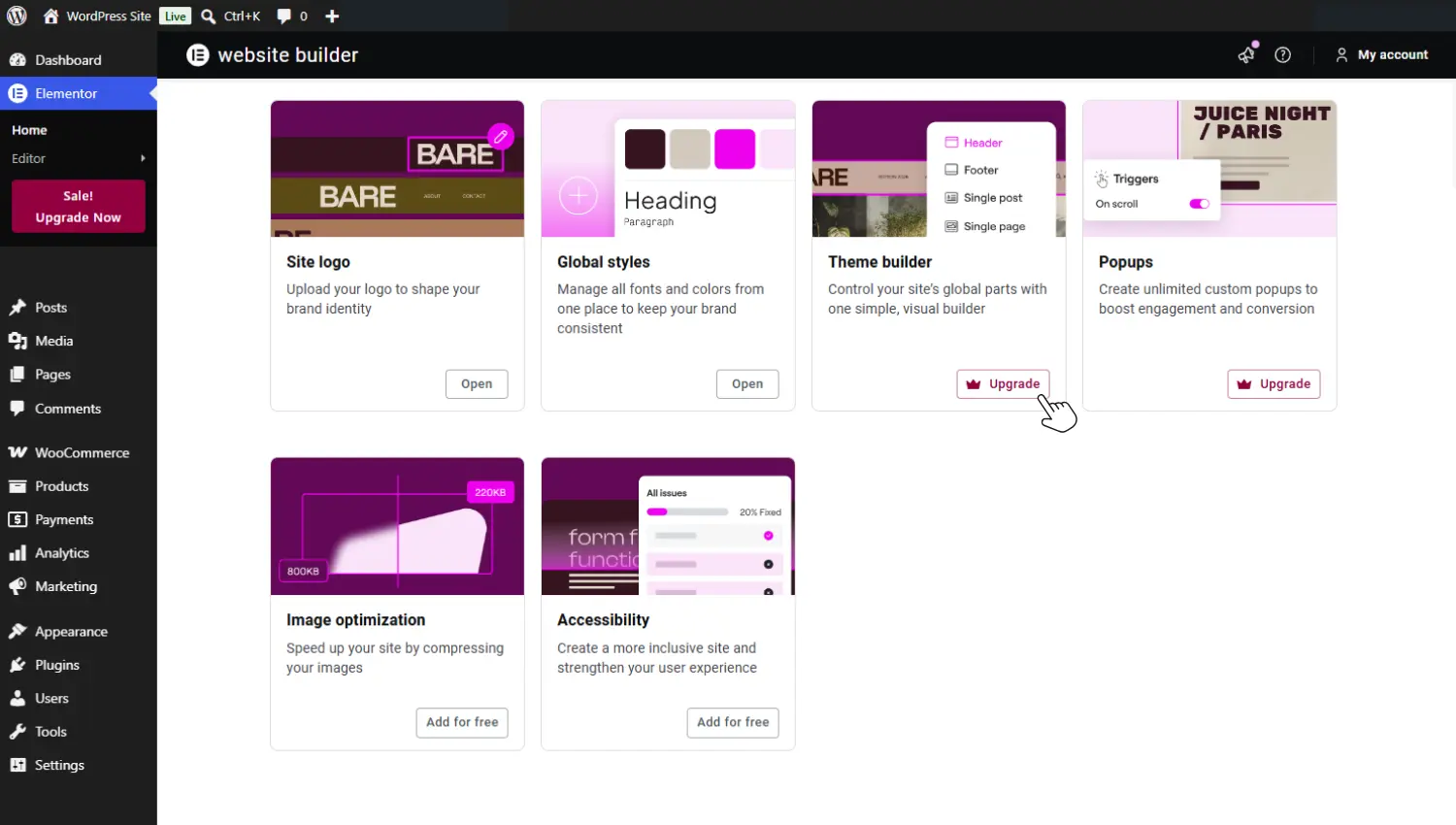
This is because some of them have specific add-ons that must be maintained together with the page builder plugin itself. You have to check whether your current setup is compatible with the updated plugin and its add-ons. Classic theme updates are more straightforward. There are fewer compatibility checks.
As we’ve seen, classic themes and page builders solve different problems. Each has its own strengths and trade-offs. To summarize, here’s a side-by-side comparison highlighting the most important differences.
Classic WordPress themes vs page builders: A summary
| Aspect | Page builders | Classic themes |
|---|---|---|
| Scope | Narrower. Usually operates at the page level. | Wider. Themes are responsible for the overall structure and presentation of your site. |
| Design flexibility | More design control without needing to code. | Limited, unless you edit code. |
| Performance | Page builders are typically heavy plugins that are more likely to slow down your site. | Generally leaner than page builders. But performance varies by theme. |
| Lock-in | Switching to a new page builder could cause the layouts you built with your previous one to break. | Switching to a new theme is easier, but your designs don’t remain intact. |
| Compatibility with your ecosystem | More opportunities for conflict with plugins, themes, etc., but it varies with the page builder. | Fewer compatibility concerns because they’re on WordPress’s native theme system. |
| Maintenance | Slightly less easy to keep updates, especially those with add-ons. | Much more straightforward to update. |
| Popular choices | Elementor, Divi, and Beaver Builder. | Astra and OceanWP. |
Classic themes and page builders are often used together
As mentioned earlier, page builders and themes aren’t always mutually exclusive options. In fact, page builders are commonly used together with classic themes. In this setup, classic themes handle the site’s foundation: overall structure, styling, and templates.
While page builders give you a drag-and-drop interface for designing individual pages or custom layouts. They complement each other where either falls short.
Seeing as a page builder is important when using a classic theme, do you need it to create a WordPress website?
Do you actually need a page builder for WordPress?
The short answer is no. You don’t need a page builder to create a WordPress website, but there are cases when you may still prefer one.
Page builders made a lot of sense earlier, before the Gutenberg block editor existed. This is because classic themes gave very limited design control without it, unless you edit the theme files’ code.
Page builders may still make some sense for you if:
- You’ve built complex layouts with a page builder, and migrating would be too disruptive.
- Your teams are deeply familiar with a specific page builder workflow.
- You want to access templates that are only available with a specific page builder.
Page builders remain widely used in the WordPress ecosystem, with Elementor alone appearing in about 31% of WordPress sites according to W3Techs.
That said, you don’t need them to create your site. The Block Editor and block themes offer editing capabilities more than sufficient for creating professional, responsive websites without a page builder.
What about block themes: where do they fit in?
Block themes bring together the sitewide design control of a theme with the visual drag-and-drop editing of a page builder inside the native WordPress Block Editor.
This creates an experience that was previously impossible in WordPress without installing a page builder.
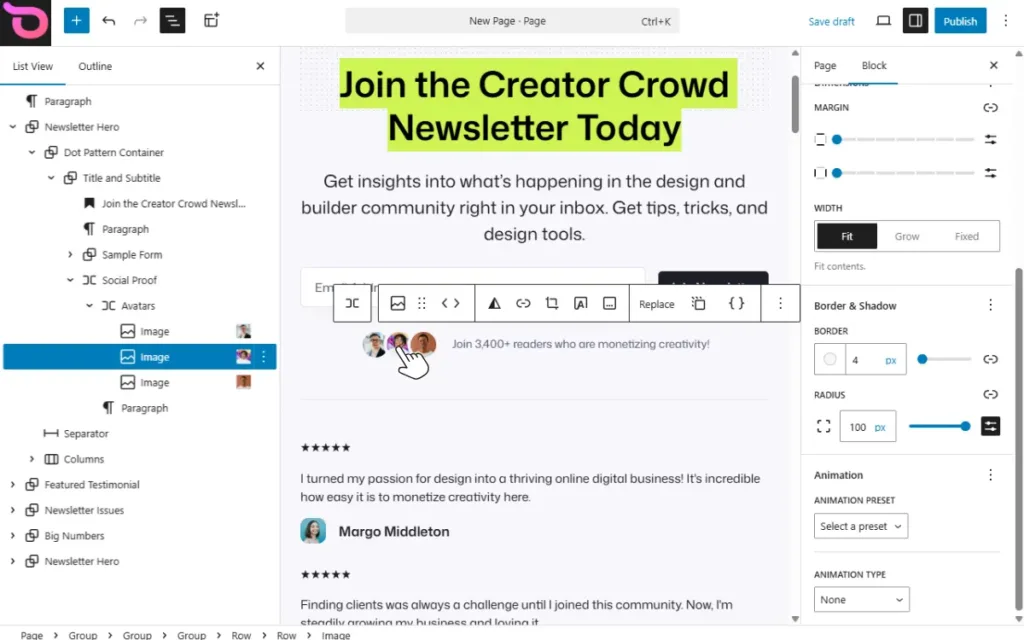
With a block theme, you don’t need to install a separate page builder to edit your site’s appearance meaningfully. Once you install a block theme, you access the Site Editor, which gives you complete visual control over your site.
You’ll be able to edit everything on your site, including headers, footers, templates, and individual pages, visually in the Site Editor.
Why should you pick block themes?
Block themes change how you build and maintain your WordPress website. Here are some reasons block themes are becoming the go-to approach for this.
- Block themes make site editing more accessible. Anyone comfortable using the Block Editor can edit their website. You don’t need to have any coding knowledge to do so. You can drag and drop elements on a page, resize them, edit colors, and add fonts without writing any code.
- They enable Full Site Editing (FSE). Block themes in the Site Editor let you visually edit every part of your site. This includes template parts such as headers and footers, pages such as the homepage and landing pages, and templates for these pages.
- They have a performance advantage. First, you eliminate the need for installing page builders, which can be heavy on your site. Secondly, block themes are often lightweight since they’re built with clean code.
- They reduce the maintenance complexity. You only focus on keeping the theme and the WordPress core updated, not an additional page builder and possibly its add-ons.
- The editing experience is consistent. With block themes, you’ll always work in the Site Editor. It doesn’t matter which page or section you’re editing.
- Block themes are future-proof. WordPress is now focused on block-based design. It ships with a default block theme (Twenty Twenty Five), and it keeps adding new blocks and block features.
This shows that the future of WordPress is blocks, and building your site with blocks makes it future-proof.
WordPress block themes vs page builders
Block themes have taken over most of what only page builders could do. Because of this, it only makes sense to compare them to determine which setup suits you. With that in mind, here’s how block themes and page builders compare.
| Factor | Page builders | Block themes |
|---|---|---|
| Performance | Load extra CSS or JavaScript files, which could slow down the website. | Faster due to lean code. |
| Code quality | Often bloated with heavy markup. | Based on HTML and usually clean. |
| Plugin dependency | Highly depends on the page builder plugin, and designs break if the plugin is deactivated. | No plugin dependency as it runs entirely on the WordPress core. |
| Global styles | It handles some global styling that is scattered across settings. | Global styling is unified in one place (the theme.json file). |
| Long-term stability | Dependent on the plugin itself. | Backed by WordPress itself and is aligned with the direction WordPress is taking. |
| Plugin lock-in | Moderate to high. May rely on proprietary features. | Low; based on standard WordPress blocks. |
| Maintenance | Requires maintaining both the builder and its integrations. | Usually fewer moving parts. |
Block themes are the WordPress-native solution to building your entire site visually. Since this is the direction WordPress is heading, you aren’t short of options. In fact, there are over 1600 block themes in the theme directory. So which one should you use? We highly recommend Ollie, and here’s why.
Design professional WordPress websites with the Block Editor and the Ollie block theme
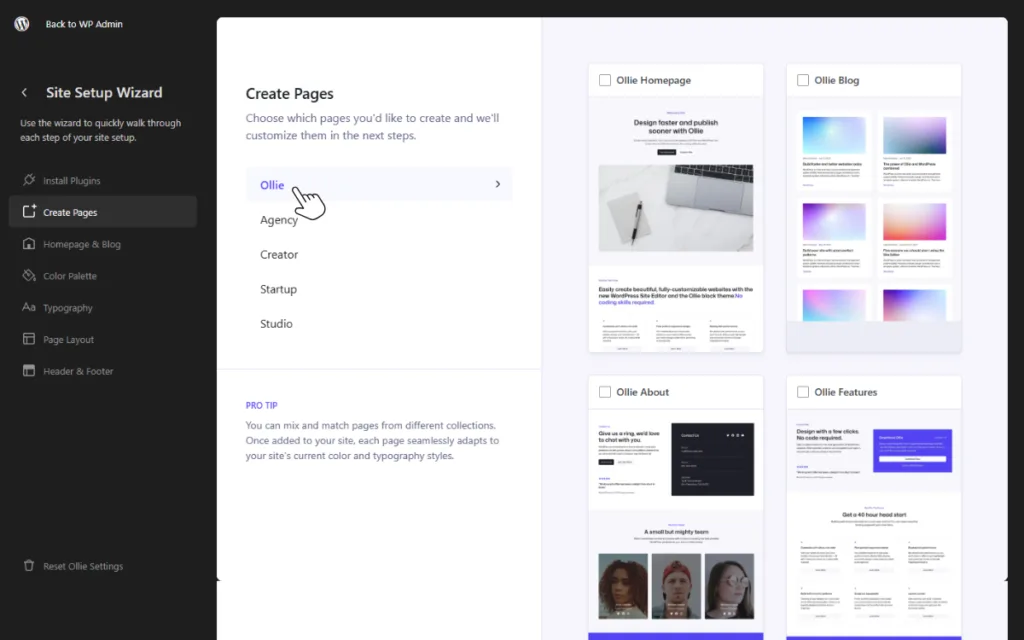
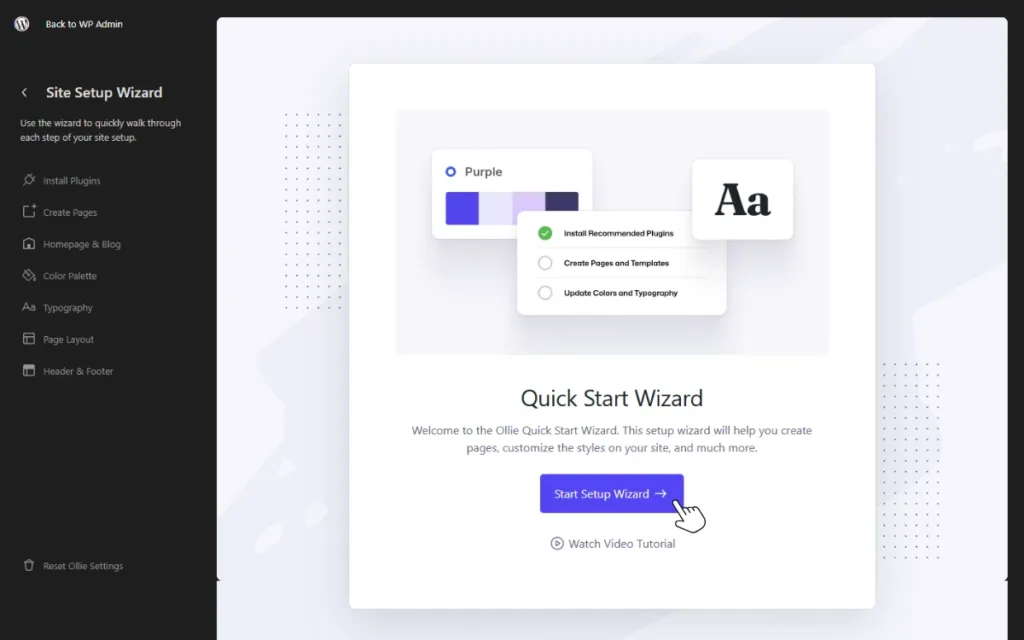
Ollie is a powerful block theme that makes working with the WordPress site editor easy. It adds a well-crafted design library and a builder toolkit to the Site Editor. This gives you a complete visual editing experience without needing a page builder or code edits.
Ollie is WordPress-native in that it is built entirely with native WordPress blocks and APIs. This means it supports everything in the site editor, including blocks and design settings. And it extends it with more customization options and design tools.
Why use Ollie in your WordPress website design setup?
Ollie offers the following features to help you build great-looking WordPress sites easily:
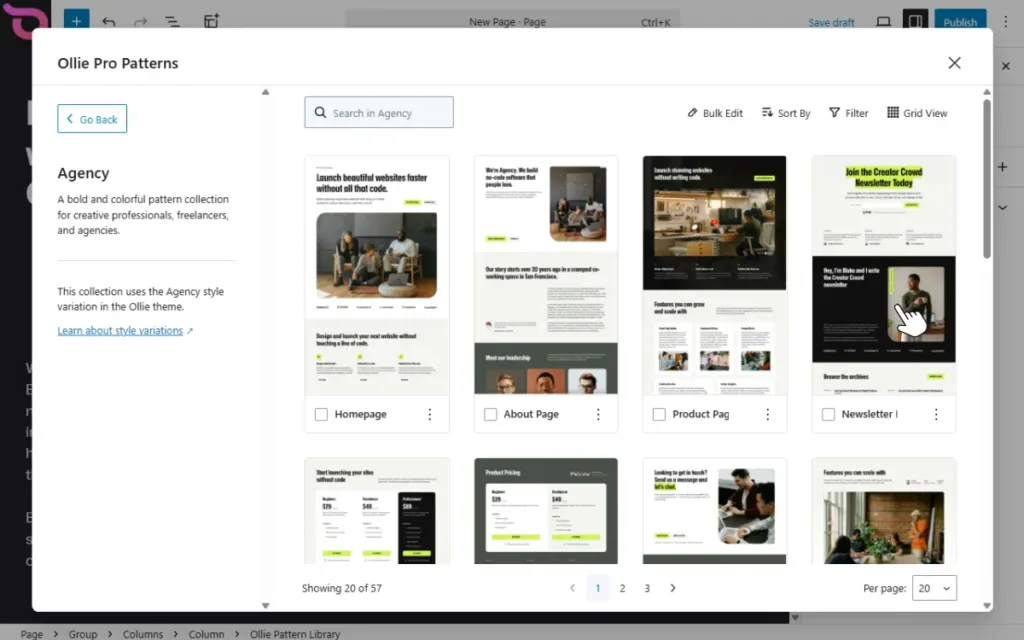
- An extensive pattern library. Ollie Pro’s pattern library contains numerous block patterns that can help you speed up site creation. You’ll find patterns for hero sections, pricing, CTAs, etc. You can select them, drop them anywhere on your page, and customize them.
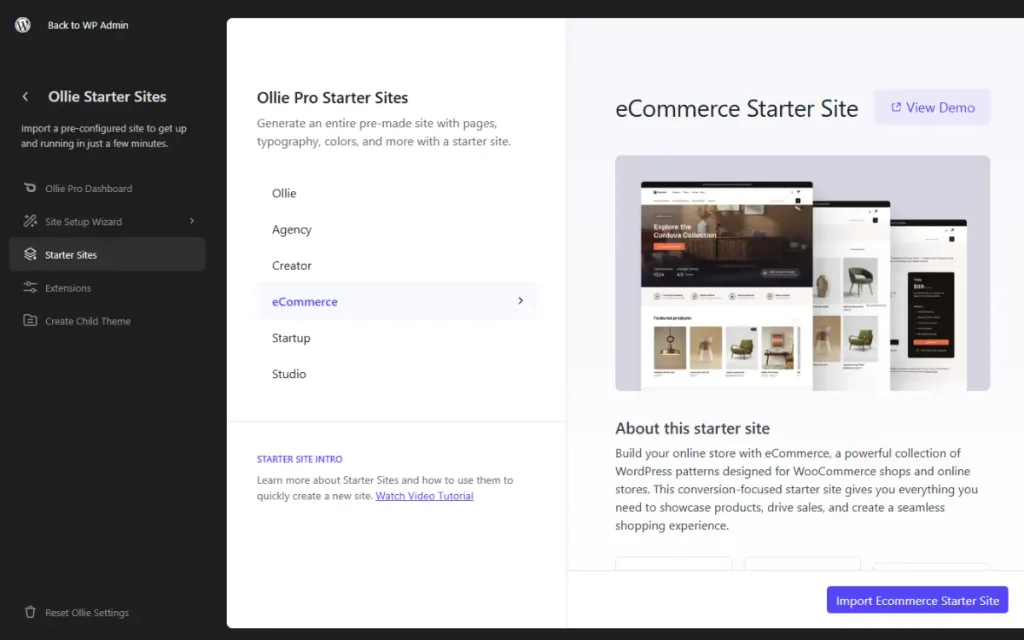
- Ready-made starter sites. These are pre-made full-site templates that you can import and customize. These further speed up site creation, saving you days of work.
- Extensions to give you more design tools. Ollie Pro offers extensions for advanced layout control, animations, transitions, hover states, and more. These extensions ensure you have everything you need to create professional websites using the Site Editor.
- Built-in templates with design variations. Ollie comes with templates for popular pages such as blog, single post, and archives. Each page template has several design variations. You can choose a variation that suits you best before customizing.
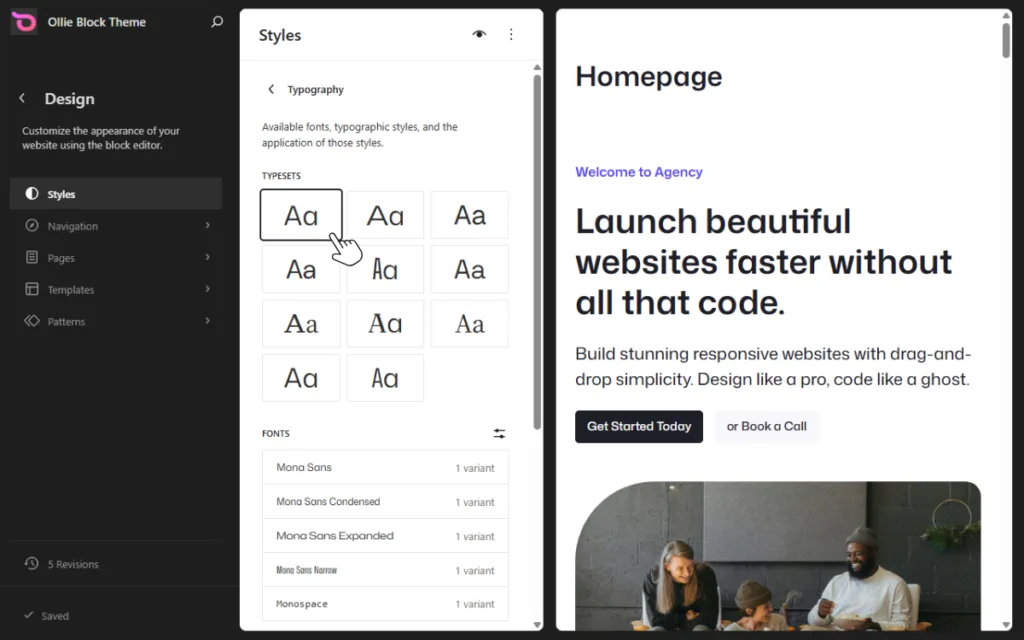
- A built-in design system. This theme has a structured design system with curated color palettes, typography pairings, and consistent spacing. This system ensures designs are consistent across the website.
Ollie is lightweight and performant by design, avoiding the bloat that page builders can introduce.
Now that we’ve walked through all three options and seen how they compare, it’s time to look at which one you should choose.
Which should you choose: theme, page builder, or block theme?
The choice among a classic theme, a page builder, and a block theme depends on your situation.
Choose a block theme like Ollie if you:
- Are starting a new site and want a clean, fast, visual editing experience without extra plugins.
- Value long-term compatibility with WordPress’s direction.
- Are building a WooCommerce store and want full control over e-commerce pages like product pages, cart, and checkout. A block theme (like Ollie) that supports WooCommerce is the best choice.
A classic theme (alone) might still work if you’re happy with the layouts and customization options provided by the theme. Or have a simple website that doesn’t need too much customization. For example, a personal blog.
Choose the right approach for your WordPress site
Classic themes and page builders solve different problems when building a WordPress website. Which is why they’re often used together. Since their emergence, block themes have been increasingly covering what both classic themes and page builders do, without the trade-off.
This makes them a great approach for building your WordPress site. For your site, the Ollie block theme is an ideal option because it supports everything the Site Editor offers. What’s more, it enriches it with an extensive pattern library and a powerful design toolkit that gives you everything you need to build a professional website.
Choose Ollie Pro for your website and build great-looking WordPress sites easily with the Site Editor.
