
Hey folks, Mike here from Ollie. I want to show you a few AI features we’ve just shipped into Ollie Pro — and how, together, they add up to a whole new way to build in WordPress.
WordPress 7.0 shipped with AI infrastructure baked right into core. Rather than bolt on its own features, WordPress laid the foundation — a standard way to connect the AI platform of your choice, whether that’s Anthropic or OpenAI, to your site. That opens the door for plugin authors like us to build on top of it. So naturally, we did.
Here’s the gap we set out to close. Ollie Pro gives you a huge library of patterns to build with — but once a design is on the page, you still have to write the words. That’s the slow part. So we brought the AI right into the editor, where you’re already working. No copying pages into a chat window, no jumping over to a desktop client — it all lives right where you build.
The Writing Prompt block — write and edit content
Writing from scratch
Generate a fresh section of copy in seconds
Starting with a blank section? Just describe what you need and hit enter — “generate three paragraphs about Ollie Pro for this section” — and you get back content-rich copy you can refine on the spot. No blank-canvas paralysis.
Editing what’s already there
Editing in place
Rework existing text right from the toolbar
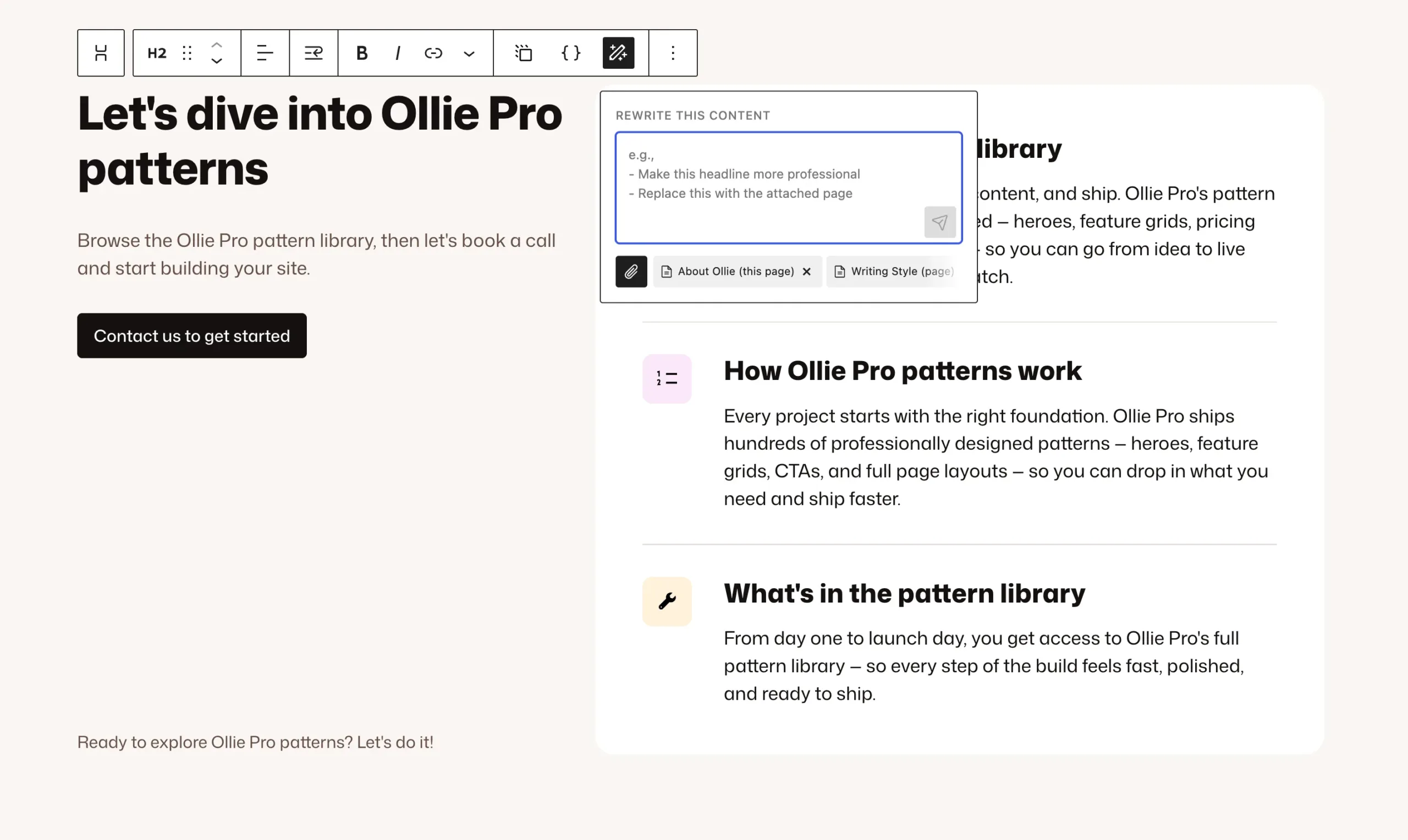
The same thinking powers content that’s already on the page. Select any text, open the toolbar prompt, and say what you want — “make this shorter and punchier.” You get a few variations, pick one, done. Select a whole section and it reworks everything inside — without touching your design. Layout, spacing, structure all stay put. Only the words change.
Give it context so it sounds like you
Adding context
Make every response sound like your brand
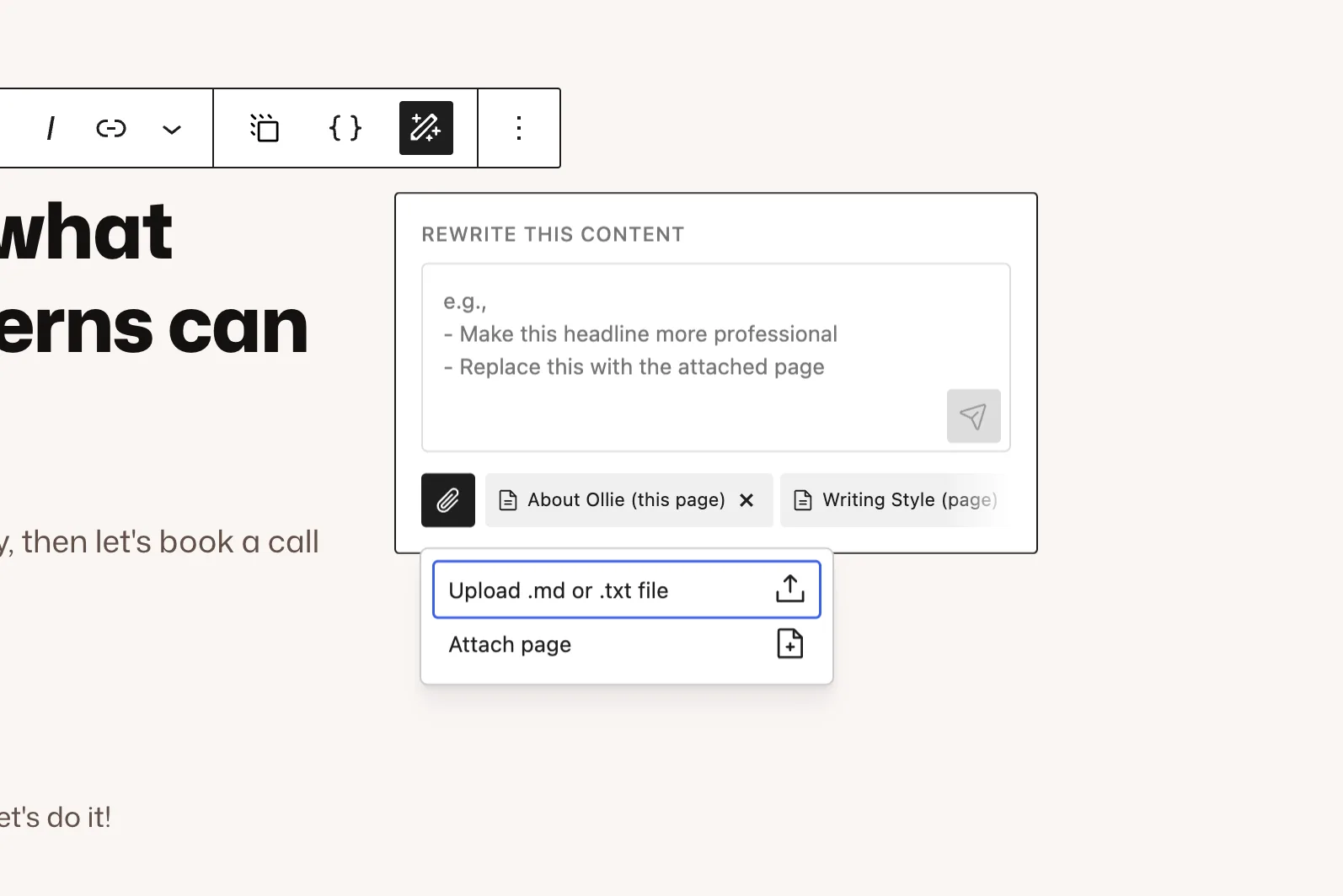
What makes all this sound like your brand is the context picker. By default, Ollie attaches the page you’re on so the AI knows what it’s writing for. Want more? Hit the paperclip to attach another page — like a writing style guide — or upload a brand voice doc. Whatever you attach rides along with the request, so what comes back is infused with your voice, not generic AI filler. And that context carries into the design prompt too.
The Design Prompt block — designs on demand
Designing with a prompt
Pull matching patterns straight onto the page
Need a new section? Type /design, describe it — “a new section for my features” — and Ollie pulls matching patterns from the Ollie Pro cloud. Browse a few live previews, pick one, and it lands on the page ready to customize. Blank space to finished design in seconds.
A new AI-first workflow
On their own, each is handy. Together, they’re something bigger. You can design a section, write its content, and rework the messaging — all without leaving the editor or fighting your layout. It bridges designing and writing in a way we haven’t seen in WordPress before. And honestly? It makes building fun again.
It’s all available now in Ollie Pro, alongside the rest of the Ollie AI suite like the Ollie MCP and AI vector search — and it’s just the start. Head over to olliewp.com to check it out. Thanks for hanging out — I’ll see you in the next one!
