
Hey folks! Today, we’re super excited to introduce a brand new feature for Ollie Pro called Carousel Designer. This powerful new feature lets you build content-rich, blazing-fast carousels and sliders using the blocks you already know and love in the WordPress block editor.
Carousels have been around in WordPress forever, and we’ve seen all kinds of solutions over the years. Oftentimes, they’re clunky, slow, resource-intensive, and pretty limited in what you can actually do with them. You’re usually wrestling with shortcodes, jQuery, and clunky plugin settings screens just to get a few slides on the page.
Carousel Designer is different. It’s built the way we build everything at Ollie — with blocks at the center. Every slide is a blank canvas: drop in any block, any pattern, any layout you can imagine. Hero sliders, testimonial carousels, logo strips, videos, even your latest posts — full creative control, right inside the editor, exactly where it belongs.
Check out the full walkthrough video below, then read on for a closer look at what Carousel Designer can do.
Build it with blocks
No shortcodes, no jQuery, no bloated settings screens. Carousel Designer is pure blocks — designed, styled, and published entirely in the WordPress editor.
If you know how to build a page with blocks, you already know how to build a carousel. Style your slides with your theme’s colors, typography, and spacing, and everything blends seamlessly into your site’s design.
Skip the blank page with premade designs
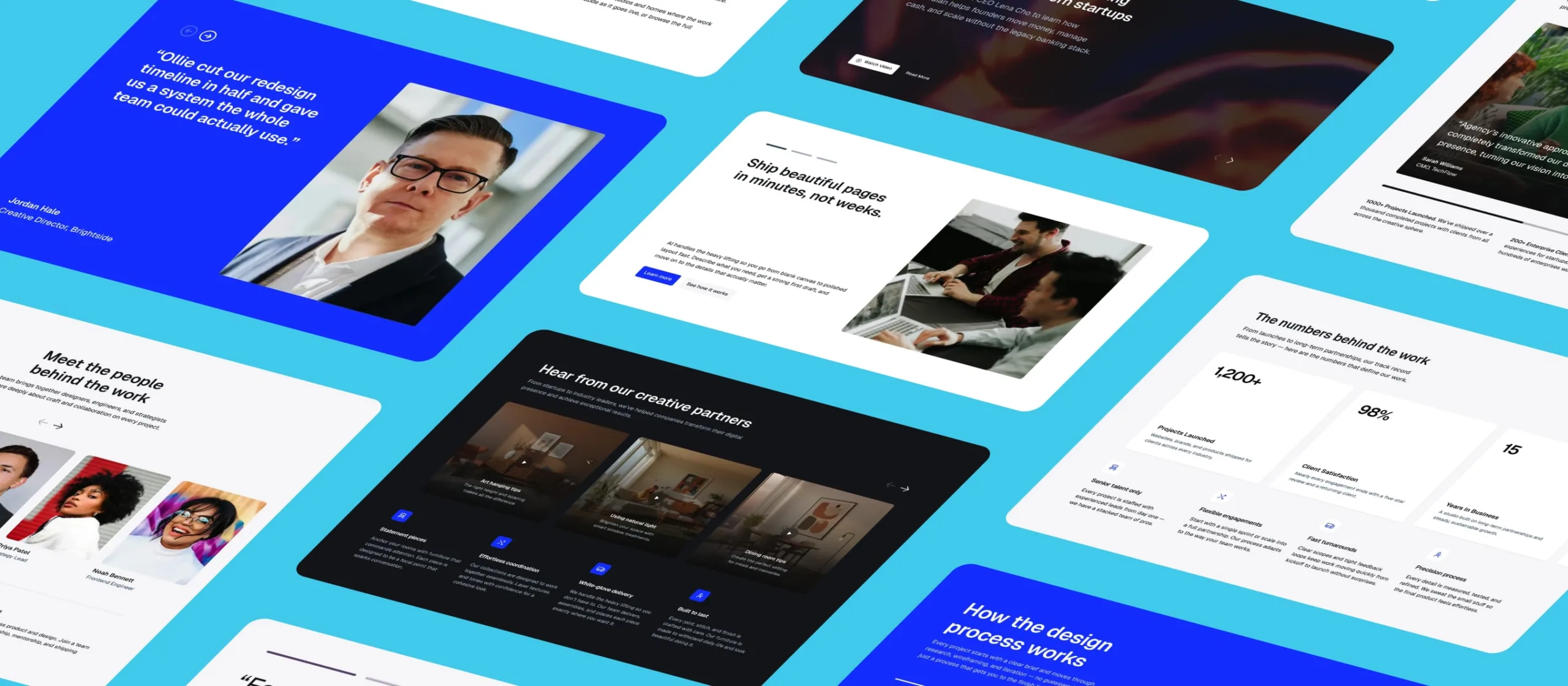
Staring at a blank canvas is the hardest part of any design, so we’ve included a collection of professionally designed carousel patterns in the Ollie pattern library — hero sliders, testimonials, team showcases, stats, logo strips, and video carousels.
Insert one with a click, swap in your content, and hit publish. You can launch a polished carousel in minutes, or use these designs as a starting point for something completely custom.
Building with premade carousels
Drop in a premade carousel design in seconds
Design once with Smart Sync
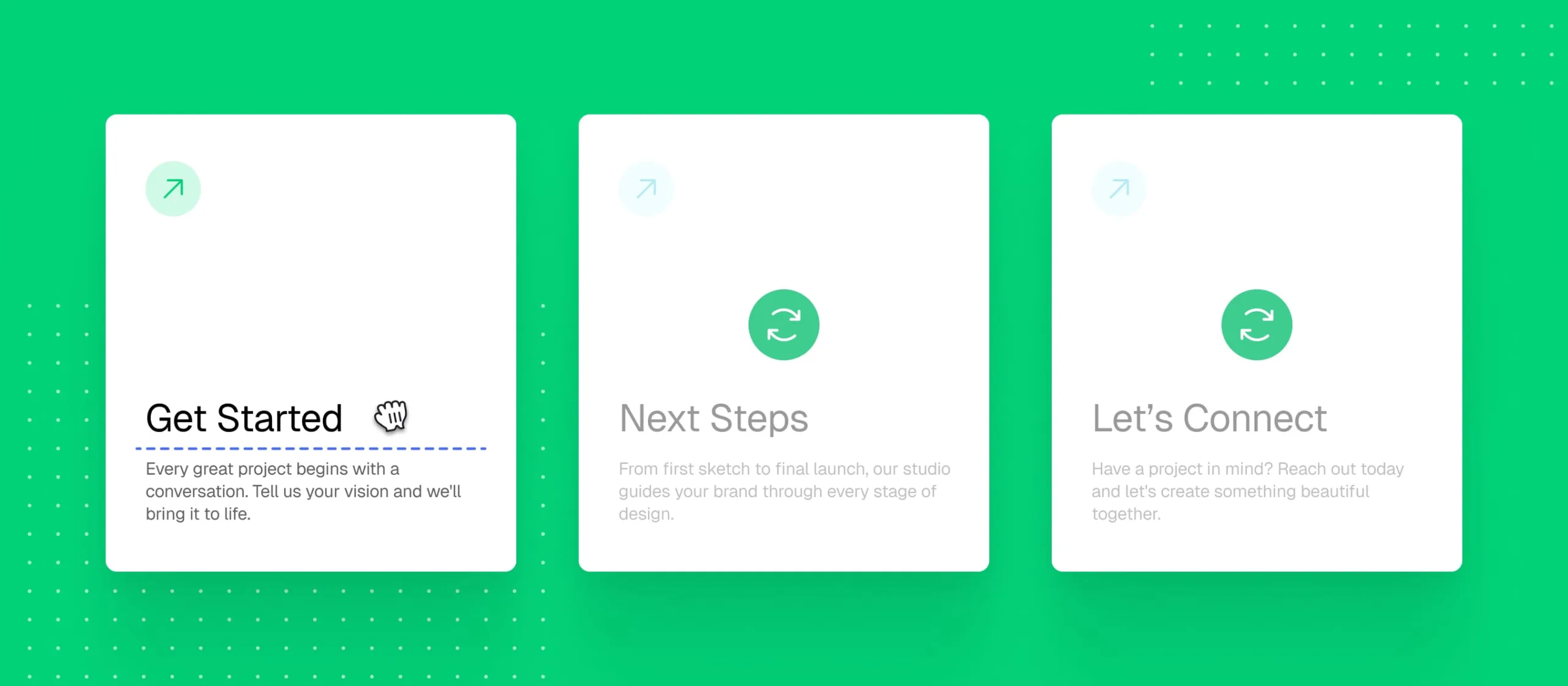
Here’s one of my favorite parts of Carousel Designer. Normally, when you design a carousel with ten slides, a single design tweak means editing ten slides. With Smart Sync, you design once, not ten times.
Move a block, restyle a heading, or rearrange a layout on any slide, and Smart Sync mirrors that design change across the whole carousel — while each slide keeps its own text, images, and links untouched. It’s a massive time-saver, and it keeps your carousel looking consistent and professional.
Smart Sync keeps every slide in perfect sync
Design once, update every slide instantly with Smart Sync
Navigation, your way
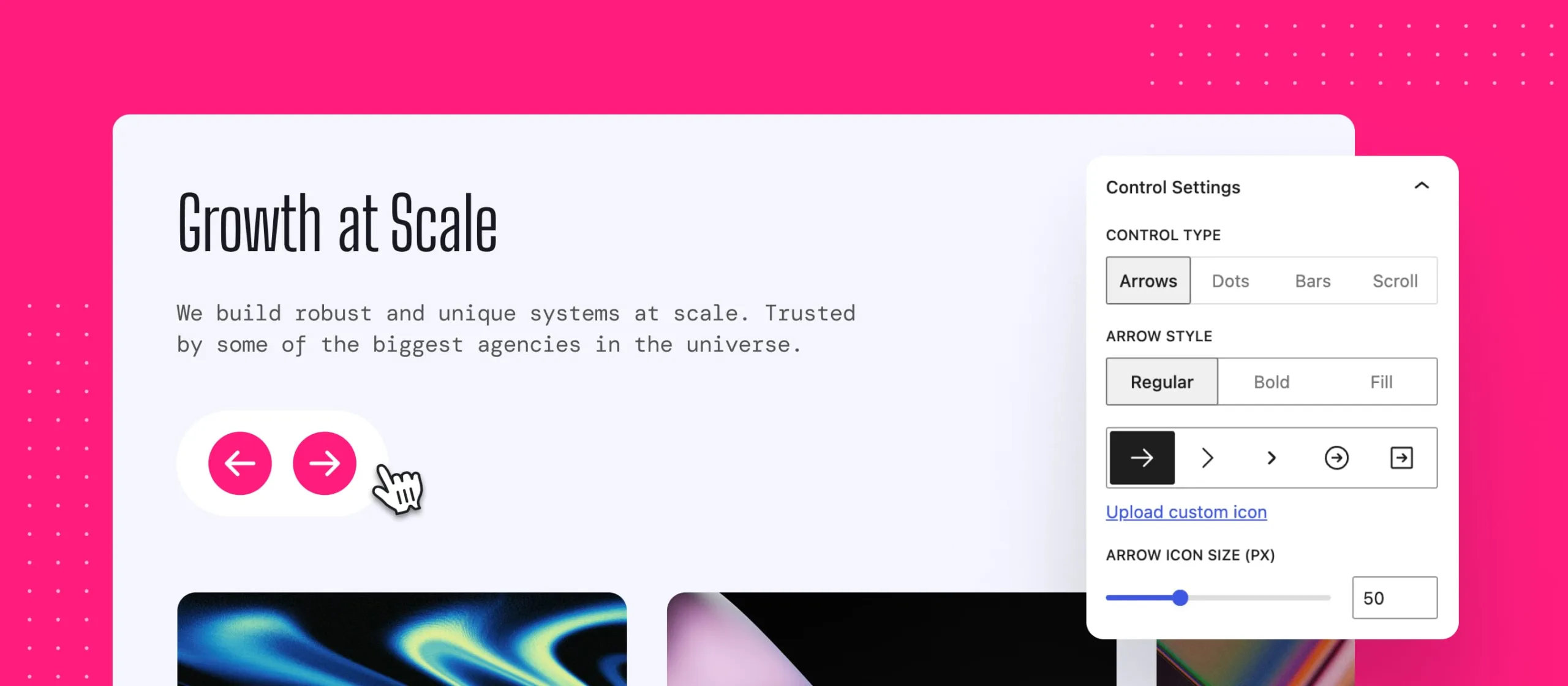
Arrows, dots, bars, a draggable scroll bar, and a play/pause button — mix and match navigation styles to fit your design. Pick your icons, dial in colors and sizes, and place your controls anywhere in the carousel. Everything stays perfectly in sync, no matter how you arrange it.
Full control over carousel navigation
Mix and match navigation controls to fit your design
Autoplay, continuous scroll, and dynamic posts
Want your carousel to move on its own? Step through slides on a timer, or glide endlessly like a marquee with continuous scroll — perfect for logo strips and social proof sections. Loop, pause on hover, and adjustable speeds are all included.
And with dynamic post carousels, you can feature your latest articles, products, or portfolio pieces automatically. Query by post type, taxonomy, author, or keyword, and your carousel updates itself as you publish new content.
Built-in autoplay and dynamic post carousels
Set your carousel in motion with built-in autoplay controls
Responsive by design
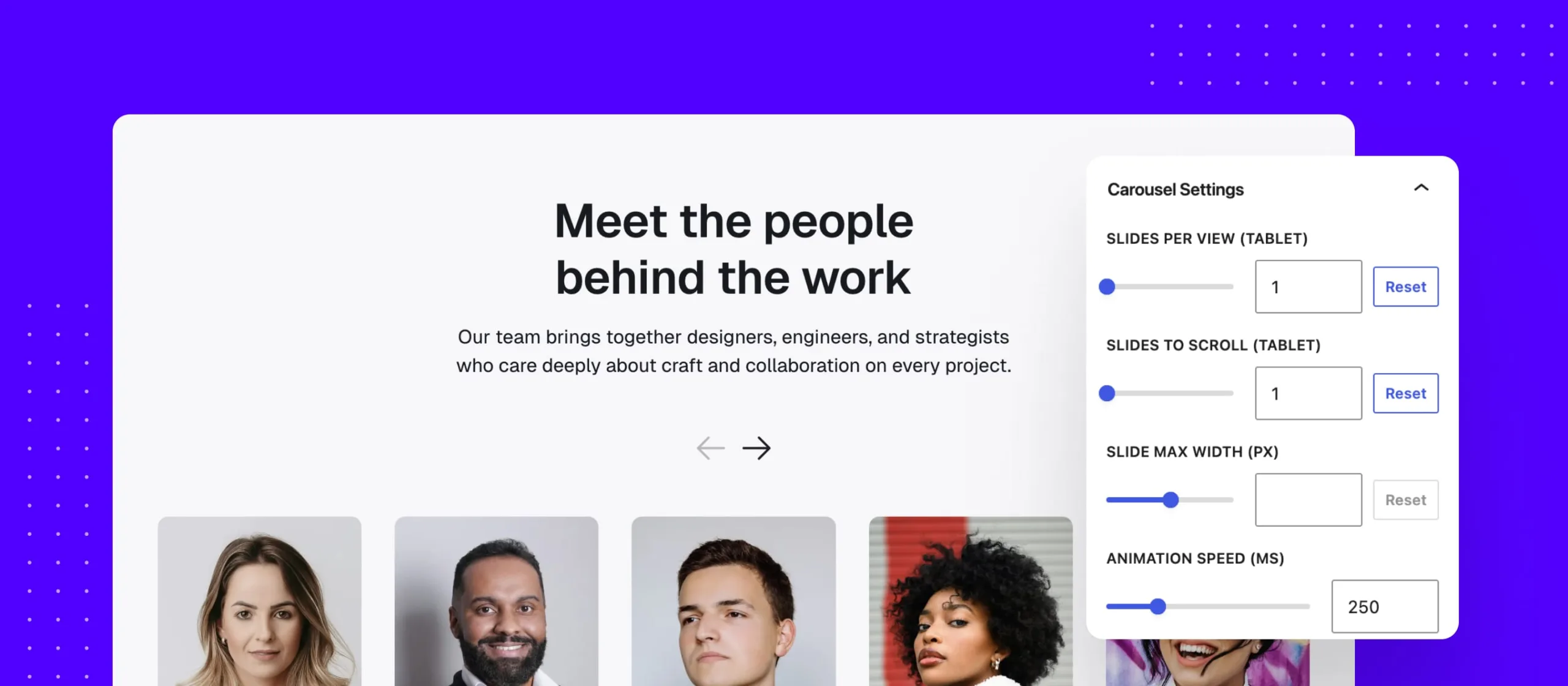
Set slides per view and scroll counts for desktop, tablet, and mobile independently — and preview every device right in the editor, so your carousel looks perfect before you ever hit publish. Fade transitions, edge fade-outs, RTL, and reduced-motion support are all built in.
Responsive settings for every device
Dial in responsive settings for every device, right inside the editor
Featherweight, fast, and accessible
Under the hood, Carousel Designer is powered by a modern, dependency-free engine that only loads when it’s needed, keeping your pages blazing fast. You get silky-smooth 60fps motion without the bloat that carousels are notorious for.
It’s also accessible by default, with keyboard navigation, screen reader announcements, pause controls, and reduced-motion support out of the box. Carousels done responsibly — no extra work required.
Get started with Carousel Designer today
Carousel Designer is available now in Ollie Pro, alongside our other powerful features like Ollie Pro Extensions, the extensive pro pattern library, and the game-changing site setup wizard.
Head over to the Carousel Designer page to see it in action and browse the premade designs, or get Ollie Pro today and start building. Every purchase comes with a 14-day money-back guarantee, so there’s no risk in giving it a spin.
